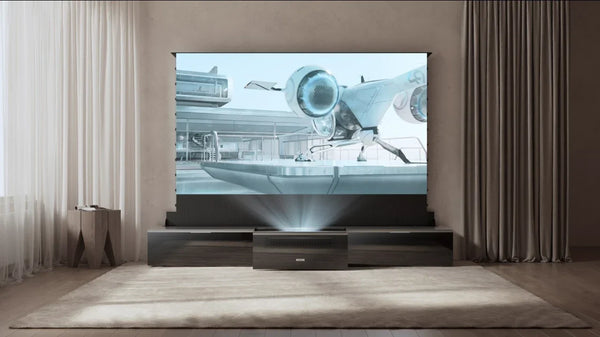
Why Do My Movies Look Like a Soap Opera? (And How to Fix It)
You finally upgraded your home theater. You unbox your new 4K laser projector, dim the lights, and fire up a cinematic masterpiece like The Godfather or Dune.
But instead of the gritty, dreamlike texture of cinema, the image looks... wrong.
The movement feels unnaturally smooth, almost slippery. The actors look like they are moving in fast-forward. The high-budget blockbuster you know and love suddenly looks like a cheap daytime soap opera or a behind-the-scenes documentary.
Don't panic. Your projector isn't broken.
You are experiencing a common phenomenon known as the "Soap Opera Effect." It is caused by a default processing feature called Motion Smoothing (MEMC), and there is a very easy way to fix it: Filmmaker Mode.
Here is the technical breakdown of why your movies look weird and how to restore the director's intent.
What is Motion Smoothing (MEMC)?

The technical term for the Soap Opera Effect is MEMC (Motion Estimation, Motion Compensation). To understand why it ruins movies, you first have to understand what is a Frame Rate.
For nearly 100 years, cinema has been shot at 24 frames per second (fps). This specific speed creates a natural motion blur that our brains interpret as "storytelling" or "dreamlike."
However, modern projectors and TVs typically run at 60Hz or 120Hz.
On a 120Hz display (like the Aetherion), the math actually works out perfectly (24 x 5 = 120). The projector could simply repeat every film frame 5 times to show it perfectly.
So why does it look weird? Because manufacturers often choose to insert fake frames instead of repeating real ones. They enable MEMC by default to show off the processor's power. The system analyzes Frame A and Frame B, generates a synthetic frame in the middle, and smooths out the motion.
The Problem: When applied to a movie, these fake frames remove the natural cinematic motion blur. This strips away the "film" texture, pushing the image into the "Uncanny Valley" where everything looks uncomfortably hyper-realistic—hence, the "Soap Opera" look.
What is Filmmaker Mode?
For years, Hollywood directors (including Martin Scorsese, and Christopher Nolan) publicly complained that modern displays were ruining their work by altering how the motion was displayed.
In response, the UHD Alliance—a coalition of movie studios and electronics manufacturers—created a new industry standard: Filmmaker Mode.
Think of Filmmaker Mode as a "Purist Button." It overrides the manufacturer's aggressive processing to display the content exactly as it was mastered in the studio.
What Does Filmmaker Mode Actually Do? (3 Critical Fixes)
Many users mistakenly believe Filmmaker Mode is just a color filter. In reality, it is a comprehensive macro command that reconfigures the projector's processing pipeline.
- Disables Motion Smoothing (Interpolation): This is the most important fix. It turns off the frame interpolation engine, ensuring the projector displays the content at its native cadence. The "soap opera" fluidity disappears, and the cinematic texture returns.
- Disables Artificial Sharpening: Default settings often apply "Edge Enhancement" to make the image pop. This creates glowing white outlines around objects and makes actors look like cardboard cutouts. Filmmaker Mode turns this off for a softer, more natural image.
- Corrects Color & White Balance: Store displays are often set to "Cool Blue" (9000K+) because it looks brighter. Filmmaker Mode sets the white point to the industry standard D65 (Warm). (Learn more about Calibrating White Balance and Greyscale).
The Aetherion Advantage: Native 24/48FPS Support
While standard Filmmaker Mode handles 24fps content, modern cinema is evolving. Movies like Avatar: The Way of Water utilize High Frame Rate (HFR) at 48fps to reduce blur in 3D action scenes.
Most projectors struggle with this, forcing 48fps content into a 60Hz container, which causes stutter. The Aetherion natively supports 24/48FPS switching, ensuring that whether you are watching a classic film or a modern HFR blockbuster, you are seeing every frame exactly as the director intended, with zero conversion artifacts.
Filmmaker Mode vs. HDR: Can You Use Both?
There is often confusion in the forums: "Do I have to choose between HDR and Filmmaker Mode?"
The Truth: No. They work together.
- HDR (High Dynamic Range): Controls the Light and Color Volume (Brightness, Contrast, Wide Color Gamut).
- Filmmaker Mode: Controls the Processing (Motion, Frame Rate, Artificial Enhancement).
On a high-performance projector like the Aetherion, Filmmaker Mode works seamlessly alongside Dolby Vision and HDR10+. This gives you the best of both worlds: the stunning dynamic range of HDR, presented with the accurate motion cadence the director intended. (Read: What is Dolby Vision and Why is it Important?).
When Should You Actually Use Motion Smoothing?
If Motion Smoothing ruins movies, why does the feature exist?
The Exception: Sports.
Cinematic 24fps is terrible for fast-moving sports. A football moving at 60mph will look like a blurry streak at 24fps. You want high frame rates to track the action clearly. (See our guide on Best Projectors for Watching Sports).
We engineered the Aetherion to differentiate between "Art" and "Action."
- For Cinema: Engage Filmmaker Mode. The system locks onto the 24fps signal for pure fidelity.
- For Sports: Use the specific formula "25/50FPS + MEMC = Smooth Sports." By interpolating 25fps or 50fps broadcast signals (common in sports) up to the projector's native high refresh rate, the Aetherion eliminates motion blur, letting you see the stitching on the ball during a fast pass without the "ghosting" seen on slower displays.
FAQ: Troubleshooting Your Picture
Does Filmmaker Mode make the picture too dark?
It can appear darker at first because it disables "Dynamic Contrast" boosting and shifts the color tone from "Cool Blue" (which appears brighter to the eye) to "Warm D65." Give your eyes a few minutes to adjust. This "darker" image is actually more accurate, preserving highlight details that the brighter modes blow out.
Why does the picture "stutter" in Filmmaker Mode?
That "stutter" is technically called Judder, and it is a characteristic of native 24fps film. You are likely accustomed to the artificial smoothness of your TV. Filmmaker Mode restores the natural, slightly choppy cadence of film.
Should I use Filmmaker Mode for gaming?
No. Filmmaker Mode often disables game-specific features like VRR (Variable Refresh Rate) and may add input lag. For gaming, always use Game Mode or ALLM (Auto Low Latency Mode) to ensure the fastest response times.
Be the First to Know
Subscribe for special deals, news, and important product information, and get your exclusive $100 discount.
Related Articles
Playing PS4 on a Projector: Setup, Settings, and Better Gaming

7 Basement Home Theater Ideas with a Style of Their Own
Projector Screen Paint: Is It Worth Painting Your Wall?
A Projector in an Apartment: Make Room for the Screen, Not a Theater
Small Man Cave Ideas: 10 Activity-Based Setups for Limited Space