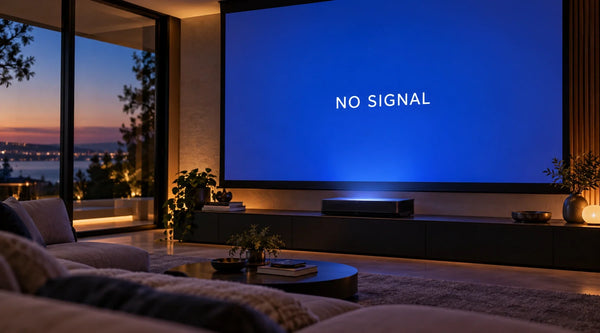
Projector Contrast Ratio: How to Get True Black Levels
Native Contrast up to 6000:1 for true, inky blacks
Explore Aetherion Max NowWhen shopping for a new home theater setup, you will inevitably hit a wall of confusing numbers. But among the lumens and resolution specs, there is one metric that determines picture quality more than any other: Projector Contrast Ratio.
If you have ever wondered why a cinema screen looks deep and immersive while some home projectors look washed out and grey, the answer lies in understanding what contrast ratio actually means for projectors—and knowing which numbers on the box you can trust.
What Does Contrast Ratio Mean for Projectors?
In simplest terms, contrast ratio is the difference between the brightest white and the darkest black a projector can display. It is written as a ratio, such as 3,000:1.
- The First Number (3,000): Represents the luminance of the brightest white.
- The Second Number (1): Represents the luminance of the darkest black.
So, a 3,000:1 ratio means the white image is 3,000 times brighter than the black image.
How Important Is Contrast Ratio in Projectors?
It is critical. While resolution (4K) determines sharpness, contrast ratio determines depth.
High contrast is what produces a deep, inky black level. Without a good black level, a "night sky" scene looks like a milky grey fog. The colors won't "pop," and the image will look flat and two-dimensional. If you care about cinematic immersion, contrast is the most important spec to watch.
Is Higher Contrast Ratio Better for Projectors?
Technically, yes. A higher ratio is always better. But there is a catch. You have to know which contrast ratio you are looking at.
Manufacturers often list massive numbers like "1,000,000:1" or "Infinite Contrast." These numbers usually refer to Dynamic Contrast Ratio, which is very different from the standard (Native) contrast ratio.
Dynamic Contrast Ratio vs. Native Contrast Ratio
To find the best projector, you must understand the difference between these two metrics. (For a deep dive, read our full guide on Dynamic Contrast on Projectors).
1. Dynamic Contrast Ratio (The "Marketing" Number)
This measures the projector's performance over time (sequentially).
- How it works: The projector measures full white. Then, it dims the laser or closes an iris to measure full black moments later.
- The problem: Movies don't happen sequentially. Bright explosions and dark shadows happen at the same time.
- The side effect: Reliance on Dynamic Contrast often causes "pumping," where the screen brightness visibly flickers as the scene changes.
2. Native Contrast Ratio (The "Real" Number)
This measures the projector’s ability to display bright whites and deep black levels simultaneously in the same frame.
- Why it matters: This is the true measure of the hardware's quality. It tells you if the projector can block light effectively to create a true black floor.
What Contrast Ratio Is Best for a Projector?
The answer depends on your technology and your room, but here are the realistic benchmarks for Native Contrast:
- 1,000:1 (Entry Level): Common in budget DLP projectors. In a dark room, blacks will look dark grey.
- 3,000:1 (Mid-Range): The standard for decent 4K projectors. Better black levels, but letterbox bars will still be visible against a dark wall.
- 6,000:1 (High End): The new threshold for premium performance. At this level, black levels become "inky," merging with the darkness of the room for a true theater experience.
Which Contrast Ratio is Better, 1000:1 or 3000:1?
If you are comparing Native Contrast, 3,000:1 is significantly better. It effectively triples the depth of the image, making shadows richer and dark scenes much clearer.
However, contrast isn't the only factor. You also need to consider The Critical Role of ANSI Contrast, which measures how well a projector handles mixed brightness (like a checkerboard pattern) without light bleeding into the dark areas.
The Future of Black Levels: The Aetherion Series
For years, home theater enthusiasts have had to choose between the sharpness of DLP projectors and the high native contrast of LCoS. (deep dive deep on Projectors Technology).
We decided you shouldn't have to choose.
The upcoming Aetherion UST Laser Projectors are engineered to break the traditional limitations often seen in the Laser TV vs OLED debate. By utilizing a next-generation optical engine, we are targeting a Native Contrast of 6,000:1.
This leap in performance delivers:
- True Black Levels: Shadows that look like voids, not grey smudges.
- No Tricks: High contrast without the "pumping" artifacts of aggressive dynamic software.
- Pop & Depth: Bright highlights that stand out piercingly against a dark background.
Don't settle for "grey" blacks. The Aetherion series is coming to redefine what a projector can do. See how the Aetherion solves the problem of washed-out blacks in projection.
FAQ: Common Questions About Contrast
Should I turn on Dynamic Contrast Ratio?
Generally, no. For the most accurate picture, we recommend turning it off. While it increases the "number" on the spec sheet, in practice, it often causes distracting brightness shifts and unnatural colors. A good projector with high native contrast doesn't need it.
Does Dynamic Contrast improve HDR?
Paradoxically, it often makes HDR worse. HDR (High Dynamic Range) relies on precise brightness levels (Tone Mapping) to display shadows and highlights exactly as the director intended. Dynamic Contrast disrupts this by constantly fluctuating the laser's brightness based on the average darkness of the scene. For true HDR performance, you need a stable light source and high Native Contrast to handle the range, not dynamic dimming software.
Does screen material affect contrast?
Absolutely. In a room with ambient light, standard white screens wash out quickly. Using an ALR (Ambient Light Rejecting) screen can dramatically improve the perception of black levels by rejecting room light. However, a screen cannot fix a projector with low Native Contrast in a fully dark room.
Should I enable DCR (Dynamic Contrast Ratio) on my monitor or projector for gaming?
Most gamers prefer to leave DCR off. The constant shifting of brightness can make it harder to see enemies in dark corners and can lead to visual distractions during fast-paced gameplay. (Learn more about Projectors vs. Monitors for Gaming).
Be the First to Know
Subscribe for special deals, news, and important product information, and get your exclusive $100 discount.
Related Articles
Playing PS4 on a Projector: Setup, Settings, and Better Gaming

Rec2020 Explained: Color Gamut, HDR and Picture Quality
7 Basement Home Theater Ideas with a Style of Their Own

Projector Screen Paint: Is It Worth Painting Your Wall?
A Projector in an Apartment: Make Room for the Screen, Not a Theater