















Projector Overheating: Why It Happens and How to Stop It
A projector that suddenly goes black, shuts off mid-movie, or blasts louder fan noise than usual is almost always telling you the same thing: it is running too hot. Projector overheating is the leading cause of mid-session shutdowns, dim images, and shortened component life, and in most cases the trigger is dust, blocked vents, or a hot room rather than a failed part.
This guide covers why projectors overheat, warning signs to watch for, and the fixes that keep a projector cool through the next movie night.
What Causes Projector Overheating
A projector's light source and electronics produce real heat as a byproduct of generating an image (as explained in our blog “How Do Projectors Work”). As long as internal sensors stay below the design limit, the cooling fans keep things in check. Overheating happens when something prevents that system from doing its job:
- Blocked or covered vents. Intake or exhaust vents against a wall, inside a sealed cabinet, or under a cloth leave hot air nowhere to go — it recirculates inside the chassis.
- Dust-clogged filters and fans. Most home projectors use an intake filter that traps dust; six months of living-room use is often enough to choke it noticeably.
- A hot room or poor ventilation. A 28 °C (82 °F) room with no air movement is harder on the cooling system than a cool basement home theater.
- A failing cooling fan. Fan bearings wear out over time; airflow drops and nothing else fully compensates.
- Long continuous sessions. A six-hour sports marathon stacked back-to-back with another movie pushes internal temperatures higher than the fan can shed.
Warning Signs Your Projector Is Overheating

Projectors often give you some warning before a hard shutdown. Watch for these early signals:
- Sudden shutdown mid-session. The screen goes black and the unit refuses to restart for several minutes — the thermal protection circuit doing exactly its job.
- Louder-than-usual fan noise. A fan that ramps to full speed, runs constantly, or starts grinding or rattling is working overtime, or beginning to fail.
- Hot exterior case. If the chassis is uncomfortable to touch, internal temperatures have climbed too far.
- Image dimming or color shift. A struggling light source combined with high heat can briefly drop brightness or shift color before a forced shutdown.
- On-screen warning or red status light. Messages like "Temperature warning" or "Fan error" are the projector's explicit request that you help it cool down.
How To Stop a Projector From Overheating
1. Clean the air filter and vents
Dust buildup can restrict airflow and is one of the most common causes of projector overheating. Regularly cleaning the air filter and ventilation openings can therefore make a noticeable difference.
However, not every projector is designed for user servicing. Some models use sealed housings, and opening the chassis may void the warranty or damage internal components. Always check the manufacturer's instructions before cleaning internal parts, and contact the manufacturer or a qualified technician if servicing is required.

2. Give the projector enough breathing room
A projector needs adequate space around its intake and exhaust vents to release heat effectively. Follow the clearance requirements in your owner's manual, and avoid placing the projector inside a tightly enclosed AV cabinet or directly against a wall.
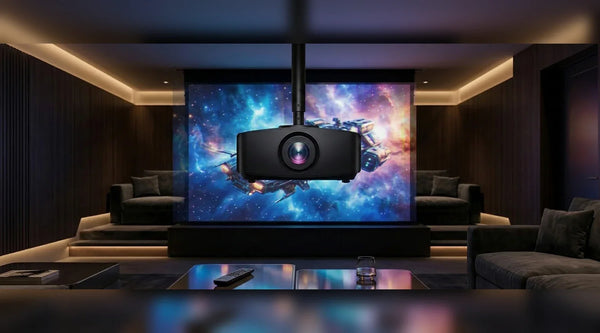
If your setup uses a projector shelf, choose an open design that does not block the rear or side vents. For a ceiling-mounted projector, make sure hot exhaust air has a clear path away from the unit rather than being trapped in an enclosed space.
3. Use Eco or a lower brightness mode
Many projectors offer an Eco, low-power, or reduced-brightness mode. Lowering the light-source output reduces both power consumption and the amount of heat the cooling system needs to remove.
For casual evening viewing in a dark room, a lower brightness setting may be more than sufficient. The image will be slightly dimmer, but the projector may run cooler and quieter while also helping the light source last longer.
4. Keep the room cool and well ventilated
A projector cannot cool itself efficiently if the surrounding air is already very warm. During long viewing sessions, keep the room comfortably cool and make sure air can circulate around the projector.
Air conditioning is the most effective option in hot conditions. A nearby room fan can also improve general airflow, provided it does not blow dust directly into the projector's vents. This can be especially helpful during extended sports viewing or summer backyard movie nights.
5. Check the cooling fan
Turn the projector on in a quiet room and listen for the cooling fan. Normal fan operation should sound relatively steady, and you should be able to feel warm air leaving the exhaust vent.
Grinding, rattling, unusually weak airflow, or a fan that repeatedly speeds up and slows down may indicate a cooling problem. If the projector continues to overheat after you have checked airflow, ventilation, and operating conditions, the issue may be internal. In that case, contact the manufacturer or a qualified technician rather than opening the projector yourself.
More FAQs for Projector Overheating
How long does a projector take to cool down after overheating?
Most projectors need 15 to 30 minutes after a thermal shutdown before they restart. The internal fans usually keep running briefly after power-off to speed that up — do not unplug the unit during the cool-down cycle.
Can I disable the overheating warning?
Most projectors do not let you turn it off, and it is not advisable to try. The alert protects the light source and electronics from permanent damage. Improve airflow instead of silencing the alarm.
Is it normal for a projector to feel hot?
Warm is normal; too hot to keep a hand on the case is not. If the chassis becomes uncomfortable after 30 minutes of use, internal temperatures are climbing higher than they should.
Can dust cause a projector to overheat?
Yes. Dust accumulation can block air filters and cooling fans, reducing airflow inside the projector. When heat cannot escape efficiently, internal temperatures increase, which may lead to overheating warnings, reduced performance, image problems, or unexpected shutdowns.
Why does my projector turn off when it gets hot?
Many projectors include built-in thermal protection systems that automatically shut down the device when internal temperatures become unsafe. This helps prevent damage to components such as the light source, optical engine, and electronic circuits.
Should I use a projector fan or cooling pad to prevent overheating?
Additional cooling accessories are usually unnecessary if the projector has proper airflow and maintenance. Before adding external cooling, check for blocked vents, dust buildup, incorrect placement, or environmental factors that may be causing excessive heat.
Final Words
Projector overheating is usually caused by heat buildup that the cooling system cannot remove effectively, rather than an immediate hardware failure. In many cases, simple steps such as cleaning the vents, improving airflow, adjusting brightness settings, and keeping the room cooler can prevent shutdowns and maintain stable performance.
If overheating continues after these checks, the issue may require professional inspection. Regular maintenance and proper placement are the best ways to keep your projector running reliably and ensure a better viewing experience for every movie night.
Be the First to Know
Subscribe for special deals, news, and important product information, and get your exclusive $100 discount.
Related Articles
Projector Says No Signal? How to Find and Fix the Problem
Why Is My Projector Blurry? 8 Causes and the Fixes That Work
Projector Lens Shift Explained: How Much Placement Freedom You Actually Get
Projector Lens Replacement: Can You Replace or Repair the Lens?
What Does a 4K 120Hz Projector Mean and Why Does It Matter?