Projector Screen Types: How to Choose the Right Screen for Any Room
When building a home theater, it is easy to obsess over the projector’s specs—lumens, resolution, and laser engines. But even the most advanced projector is only as good as the surface it shines on. The screen is 50% of the image equation, acting as the canvas that determines contrast, color accuracy, and whether you can watch a movie with the lights on.
Navigating the landscape of projector screen types can be confusing. From "gain" and "ALR" to the difference between lenticular and Fresnel structures, the terminology is dense. This guide will break down the different types of projector screens by mounting style, material, and optical technology, helping you find the perfect match for your setup.
In short, the right projector screen depends on three things: your room lighting, your projector’s throw ratio, and how the screen is mounted.
Why the Right Screen Type Defines Your Home Theater Experience
Many first-time enthusiasts ask, "Can't I just use a white wall?" While a smooth white wall is a starting point, it lacks the optical coatings required to reflect light back to your eyes efficiently. A dedicated screen eliminates texture, prevents light absorption, and ensures the pixels are displayed with the sharpness the director intended.
Deep Dive: Still deciding between a DIY setup and a pro screen? Read our breakdown of Projector Screen vs. Wall.
Types of Projector Screens by Mounting Style
The first decision is "Form Factor"—how do you want the screen to live in your room?
Fixed Frame Screens: The Gold Standard for Flatness
If you have a dedicated media room where the screen never needs to move, a Fixed Frame screen is the superior choice. These screens are permanently tensioned over a metal frame (like a painter’s canvas), ensuring a perfectly flat surface with zero curling or waves. Because they don't need heavy retraction mechanisms, fixed frames are often available in massive sizes, providing a wall-to-wall IMAX experience that rolling screens often can't match.
Floor Rising Screens: The Modern Smart Home Solution
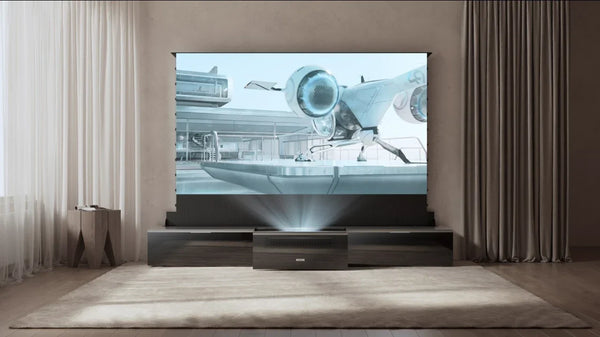
For living rooms where you want a "hidden theater," Floor Rising screens are the ultimate modern solution. Housed in a slim casing that sits on the floor or inside a TV cabinet, these motorized screens rise up at the touch of a button. They offer the tension of a fixed screen with the invisibility of a roll-away unit, allowing you to reclaim your wall space for artwork or windows when the movie is over.
Learn More: Discover how this technology works in What is a Floor Rising Projector Screen?
Motorized Drop-Down Screens: Versatile Ceiling Mounts
The classic "roll-down" screen mounts to the ceiling or wall. While convenient, it is vital to choose a tab-tensioned model. Without tensioning tabs on the sides, standard drop-down screens are prone to developing waves over time, which can distort the image—especially with modern 4K projectors.
Types of Projector Screen Materials: Managing Light & Contrast
Once you choose the mount, you must choose the material. This determines how the screen handles light.
Matte White vs. Gray Screens: Understanding Gain & Contrast
- Matte White (Gain 1.0): The standard reference. It reflects light equally in all directions, preserving perfect color accuracy. However, it requires a completely dark room; any ambient light will wash out the image. If you have a dedicated "batcave" theater, a reference surface is an excellent, cost-effective choice.
- Gray Screens (Low Gain <1.0): Often called "High Contrast" screens. The darker base color improves black levels but may reduce overall brightness.
Comparison: Not sure which color suits your room? Read Gray vs. White Projector Screen: Which is Better?
Ambient Light Rejecting (ALR): Essential for Daytime Viewing
If you plan to watch sports or movies with the lights on, an ALR screen is non-negotiable. These screens use optical filters to reflect the projector's light toward the viewer while rejecting light coming from other directions (like windows or lamps).
The Science: See how this technology enables "TV-like" viewing in What is Ambient Light Rejecting Screen.
Ceiling Light Rejecting (CLR): The UST Specialist
CLR is a specialized type of ALR designed specifically for Ultra Short Throw (UST) projectors. Since USTs project light from below at a steep angle, CLR materials are engineered to accept light from the bottom while aggressively blocking light from above (ceiling lights).
Decision Guide: Confused by the acronyms? We explain the difference in ALR vs. CLR Screen: Which Do You Need.
Advanced Screen Structures: Texture & Transparency
For the high-end enthusiast, the "micro-structure" of the screen surface is the final frontier.
Fresnel vs. Lenticular: Micro-Structures for Brightness
ALR screens use microscopic structures to direct light.
- Lenticular (Sawtooth): The most common UST structure. It offers a wide viewing angle but slightly lower gain.
- Fresnel (Concentric): Uses semi-circular ridges to focus light intensely toward the viewer. This results in significantly higher brightness and deeper blacks. This technology is specifically engineered to combat heavy ambient light, making it the best choice for bright living rooms where a standard screen would fail.
Deep Dive: Understand the physics behind the brightness boost in What is a Fresnel Projector Screen.
Acoustically Transparent (AT): The Audiophile’s Choice
In a real cinema, the center channel speaker is located behind the screen so voices come directly from the actors' mouths. Acoustically Transparent screens are perforated or woven to allow sound to pass through the material without muffling the audio, enabling a truly professional audio setup at home.
Setup Tip: Planning a hidden speaker system? Read our guide on how to Place Speakers Behind Projector Screen.
Best Projector Screen Types for Your Setup
Now that you understand the materials and mounts, here is how to pair them for the best performance.
Quick Comparison: Projector Screen Types at a Glance
Use the table below to quickly match projector screen types to your room lighting, projector type, and everyday use.
|
Screen Type |
Best For |
Ideal Room Lighting |
Projector Compatibility |
Typical Use Case |
|
Matte White |
Dedicated Theaters |
Dark (0% Ambient Light) |
Long Throw / Standard |
Movies, reference color viewing |
|
Gray (High Contrast) |
Media Rooms |
Low Ambient Light |
Long Throw / Standard |
Movies in partially dark rooms |
|
Standard ALR (Long Throw) |
Living Rooms |
Moderate Ambient Light |
Long Throw Only |
Sports, TV replacement |
|
CLR (Lenticular) |
Living Rooms / Dens |
Moderate Ambient Light |
UST Only |
Laser TV setups |
|
Fresnel |
Bright Living Rooms |
High Ambient Light |
UST Only |
Daytime TV & sports |
|
Acoustically Transparent |
Hidden Speaker Setups |
Depends on material |
All Types |
Cinema-style audio setups |
Matching Screen Type to Projector Throw Ratio (Long Throw vs. UST)
The "Throw Ratio"—the distance between the projector and the screen—is the single most important factor in screen selection.
- Long Throw Projectors: These are forgiving. You can use almost any flat surface, including standard Matte White or Gray screens.
- Ultra Short Throw (UST) Projectors: These are unforgiving. Because the light hits the screen from a steep angle below, you must use a "Retro-Reflective" CLR material. Furthermore, the screen must be perfectly flat. Using a non-tensioned roll-down screen with a UST projector will result in severe image distortion ("wavy" lines), which is why we strictly recommend Fixed Frames or Motorized Floor Rising Screens for UST setups.
UST Guide: Building a Laser TV setup? Explore our full Projector Screen Collection.
Matching Screen Material to Room Lighting (Dark Room vs. Living Room)
- The "Batcave" (0% Ambient Light): If you have a dedicated theater with blackout curtains, a Matte White Screen is often the best choice. It is affordable and offers reference-level color accuracy.
- The Living Room (Mixed Lighting): If you have windows or overhead lights, you need ALR or Fresnel technology. A white screen in a living room will look washed out and unwatchable during the day.
Projector Screen Setup, Care & Best Practices
Selecting the right projector screen type is only the first step. To get the best image quality in daily use—and to protect your investment over time—proper sizing, installation, and maintenance all play an important role.
A projector screen is a precision optical surface, not just fabric stretched on a frame. Dust accumulation can gradually reduce perceived brightness and contrast, while improper handling or cleaning may damage delicate surface coatings—especially on ALR, CLR, and Fresnel screens commonly used in living room and UST setups.
Before installation, it’s essential to choose the correct screen size based on viewing distance and room layout. A screen that’s too large can cause eye fatigue, while one that’s too small limits immersion. If you’re unsure where to start, this guide on What Size Projector Screen Do I Need? offers a practical, room-focused approach to sizing.
For placement and mounting, screen type matters. Fixed frame, motorized drop-down, and floor-rising screens each have different setup considerations, particularly for ultra-short throw projectors that require precise alignment. A step-by-step overview is available in How to Set Up a Projector Screen, which covers common installation scenarios.
If you’re building a Laser TV or UST-based system, screen choice and setup become even more critical. This is where surface flatness, material compatibility, and placement tolerances all intersect. For deeper guidance, Screen Buying Guide for UST Projectors walks through these requirements in detail.
Maintenance Tip
To preserve image quality over the long term, avoid standard household cleaners or abrasive cloths. Always use cleaning methods designed specifically for optical screen surfaces. Keep your screen performing like new with How to Clean Your Projector Screen.
Summary: The Final Verdict
Choosing the right projector screen type is about balancing three factors: Form Factor (Fixed vs. Motorized), Light Control (Dark vs. Bright Room), and Projector Type (Long Throw vs. UST).
By understanding these categories, you can move beyond the confusion of "Gain" and "ALR" and select a screen that unlocks the full potential of your home theater. Whether you choose a hidden Floor Rising screen for your living room or a massive Fixed Frame for your basement cinema, the right screen transforms a simple projected image into a true cinematic experience.
FAQ on Projector Screens
Is specialized projector screen paint better than a real screen?
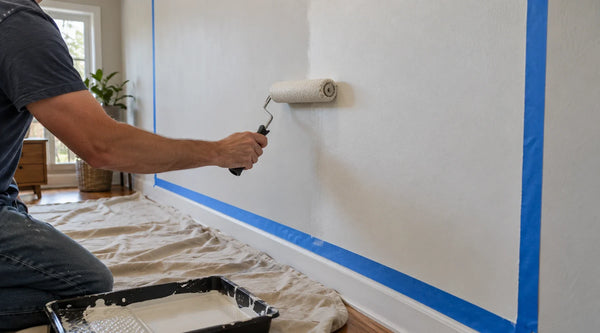
Generally, no. While projector screen paint is an improvement over a standard wall, it cannot match the gain control, surface uniformity, or ambient light rejection of a dedicated screen. For 4K projectors or rooms with any ambient light, a physical screen delivers noticeably better sharpness and contrast.
Why does my screen look "sparkly" or grainy?
This is likely laser speckle, a common issue with RGB triple-laser projectors, especially on high-gain ALR or Fresnel screens. To reduce speckle, choose a screen material with a diffusion layer or texture designed to break up coherent laser light—often found in premium UST-optimized screens.
Can I use a standard roll-down screen for a UST projector?
No. Ultra Short Throw projectors project light from a steep angle. Any slight wave or curl in the screen (common in standard roll-down models) will cause severe geometric distortion in the image. You must use a Fixed Frame or Tab-Tensioned motorized screen for USTs.
Is a high gain screen always better?
No. High gain screens increase brightness, but often introduce hot spotting, reduced viewing angles, and uneven brightness. For most home theaters, a moderate gain between 0.6 and 1.2 provides the best balance of brightness, contrast, and viewing comfort.
Be the First to Know
Subscribe for special deals, news, and important product information, and get your exclusive $100 discount.
Related Articles
7 Basement Home Theater Ideas with a Style of Their Own
Projector Screen Paint: Is It Worth Painting Your Wall?
Upgrade Your UST Setup: Is AWOL LuxVision Right for Your Room?
A Projector in an Apartment: Make Room for the Screen, Not a Theater
Small Man Cave Ideas: 10 Activity-Based Setups for Limited Space