What is a Smart Projector? (And Can It Replace Your TV?)
Setting up a home theater used to mean running messy cables through your ceiling, buying a massive audio receiver, and hooking up multiple streaming boxes just to watch a movie. It was a frustrating and expensive process.
Today, that entire ecosystem has been condensed into a single device: the smart projector. But what exactly makes a projector "smart," and more importantly, can it actually replace the traditional flat-screen TV in your living room? Here is exactly what you need to know before making a decision.
What Makes a Projector "Smart"?

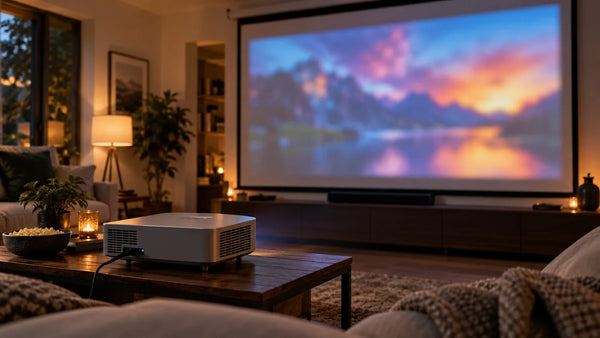
At its core, a smart projector combines the massive screen capabilities of a traditional projector with the "brain" of a modern smart TV.
Instead of relying on external inputs like a laptop, DVD player, or streaming stick, a smart projector features a built-in operating system and native internet connectivity. This allows you to download and run apps directly from the device.
Key features that define a smart projector include:
-
Built-in Operating Systems: Platforms like Google TV, Android TV, or webOS built directly into the hardware.
-
Wireless Connectivity: Native Wi-Fi (for streaming) and Bluetooth (for connecting headphones or external speakers).
-
Voice Control: Integration with smart home ecosystems like Google Assistant, Apple HomeKit, or Amazon Alexa.
-
Screen Mirroring: The ability to cast content straight from your smartphone or tablet without wires.
Smart Projectors vs. Traditional Projectors: Key Differences
If you are upgrading an old media room, the differences between traditional and smart models are night and day.
The End of Cable Clutter
Traditional projectors are essentially just monitors; they require an external media source. This means running long HDMI cords from a streaming device, game console, or receiver to the projector itself. Smart projectors eliminate this. Because the apps and Wi-Fi are built-in, the only cord you strictly need is the power cable.
Streamlined Setup and Placement
Older projectors usually required ceiling mounts at the back of the room to achieve a large image. Many modern smart projectors utilize Ultra Short Throw (UST) technology.
A UST projector sits directly below your wall or screen—often just inches away—and projects upward. For example, a modern device like the AWOL Vision Aetherion features a 0.2:1 throw ratio, allowing it to project a massive 80 to 200-inch image while sitting on the same TV stand your flat-screen used to occupy.

Can a Smart Projector Really Replace Your TV?
This is the most common question buyers have. Historically, the answer was no—projectors were strictly for dark basements. Today, thanks to advancements in laser technology, a high-end smart projector can absolutely replace your living room TV.
Here is a realistic breakdown of how they compare:
When a Projector Wins
-
Cinematic Scale: You simply cannot buy a 120-inch or 150-inch TV without spending tens of thousands of dollars. Projectors offer massive scale at a fraction of the cost per inch.
-
Eye Comfort: TVs emit direct light into your eyes. Projectors reflect light off a screen, which drastically reduces eye strain during long binge-watching sessions.
-
Aesthetics: When turned off, there is no giant black plastic square dominating your living room wall.
When a TV Wins (And How Projectors Bridge the Gap)
-
Bright, Sunlit Rooms: Direct sunlight washes out projected images. TVs naturally combat ambient light better. However, smart projectors have adapted by using powerful laser light sources. For instance, the AWOL Vision Aetherion Max uses an RGB Pure Triple Laser pushing 3300 ISO lumens, combined with advanced Dynamic Tone Mapping. When paired with an Ambient Light Rejecting (ALR) screen, it can easily compete with ambient daylight, acting as a true TV replacement.
Top Uses for a Modern Smart Projector
The Ultimate Living Room Hub
Because devices with built-in OS systems (like Google TV) have gigabit ethernet and advanced Wi-Fi (like Wi-Fi 7), they can serve as your central hub for Netflix, Hulu, Disney+, and live sports without any buffering or external dongles.
Next-Gen Gaming
Projectors used to be notoriously laggy for video games. Modern smart projectors have solved this. Gamers should look for devices equipped with HDMI 2.1 ports, Auto Low Latency Mode (ALLM), and Variable Refresh Rate (VRR). Cutting-edge models are now achieving input lags as low as 1ms, making them perfectly suited for competitive PS5 or Xbox Series X gaming on a massive scale.

How to Choose the Right Smart Projector
To ensure you don't end up with a device that doesn't fit your space, evaluate these three core specs:
-
Brightness (ISO/ANSI Lumens): If you are replacing a living room TV, do not buy a projector under 2500 lumens. (Learn more about how many lumens you need for daylight viewing).
-
Light Source: Avoid bulb projectors (they burn out and dim over time). Opt for LED or, ideally, Triple Laser models for the widest color gamut and longest lifespan.
-
Contrast Ratio: This dictates how deep your blacks will look. Look for high native contrast ratios or features like Enhanced Black Level (EBL) to ensure dark movie scenes aren't washed out and gray.
Quick Setup: How to Connect and Use Your Smart Projector
Getting started is usually a seamless, three-step process:
-
Position and Power: Place the projector on your console (if UST) or mount it. Plug it into the wall.
-
Connect to Wi-Fi: Follow the on-screen prompts to connect to your home network, just as you would with a new smartphone.
-
Log In and Stream: Sign into your Google or Apple account to instantly download your preferred streaming apps or connect your phone to the projector to cast your screen.
Is a Smart Projector Worth the Investment?
If you want an immersive, 100-inch+ viewing experience without the complex wiring, high cost, and permanent visual footprint of a massive flat-screen TV, a smart projector is absolutely worth the investment. By choosing a model with high brightness, a built-in OS, and short-throw capabilities, you can transform any standard living room into a premium home theater in minutes.
FAQ on Smart Projector
What is the difference between a smart projector and a regular projector?
A regular projector requires an external device, like a laptop or streaming stick, to play media. A smart projector has a built-in operating system (like Google TV) and Wi-Fi, allowing you to download apps and stream movies directly from the projector itself.
Can a smart projector replace a TV?
Yes. High-end smart projectors, particularly Ultra Short Throw (UST) laser models with high brightness (over 2500 ISO lumens), can replace a living room TV. When paired with an ALR screen, they can display clear, massive images even in well-lit rooms.
Do I need to buy speakers for a smart projector?
Not necessarily. Unlike older models, most modern smart projectors come with built-in, high-quality audio and a central channel. However, they also feature Bluetooth and HDMI eARC, allowing you to easily connect them to external surround sound systems if you prefer.
How do I connect my phone to a smart projector?
Most smart projectors feature built-in screen mirroring technology. Depending on the model, you can wirelessly cast your phone's screen to the projector using Apple AirPlay 2, Google Chromecast, or Miracast over your home Wi-Fi network.
Be the First to Know
Subscribe for special deals, news, and important product information, and get your exclusive $100 discount.
Related Articles

Rec2020 Explained: Color Gamut, HDR and Picture Quality
Upgrade Your UST Setup: Is AWOL LuxVision Right for Your Room?
Projector Says No Signal? How to Find and Fix the Problem
Why Is My Projector Blurry? 8 Causes and the Fixes That Work
Projector Lens Shift Explained: How Much Placement Freedom You Actually Get