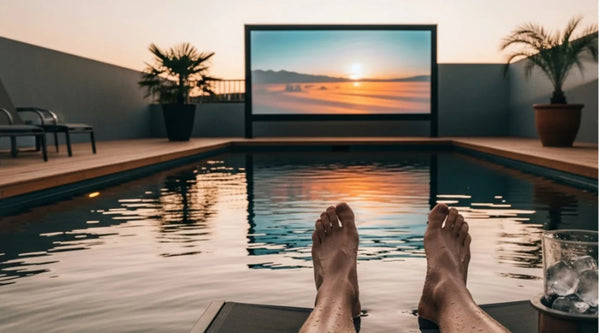
Can You Use a Projector on a Black Wall?
Yes, you can use a projector on a black wall, but the result depends heavily on your room lighting, projector brightness, wall texture, and expectations.
A black wall can make a room feel more cinematic because it reduces light reflections around the viewing area. However, it also absorbs much more projector light than a white or light-gray surface. That means the image may look dimmer, less vibrant, and less “TV-like,” especially if there is ambient light in the room.
So the real question is not simply “Can you use a projector on a black wall?” It is whether the trade-off makes sense for your setup.
What Happens When You Project Onto a Black Wall?
A projector creates an image by sending light onto a surface and reflecting that light back to your eyes. A standard matte white screen is usually treated as around 1.0 gain, while a plain white wall may be slightly lower depending on paint and texture. A black wall, by contrast, can fall much lower, often around 0.1–0.3 gain depending on the finish. In simple terms, the black wall reflects far less light back to the viewer, so the image usually looks darker even when the projector itself has not changed.
That creates a few clear effects:
- The overall image looks dimmer.
- Bright scenes lose some punch.
- Colors may appear less vivid.
- Ambient light becomes more noticeable.
- Dark scenes may feel deeper in a very dim room.
This is why a black wall can work surprisingly well for movie nights with the lights off, but it often struggles in living rooms where lamps, windows, or daylight are part of the viewing environment.
If you want a casual setup for occasional dark-room viewing, a black wall may be good enough. If you want a bright, sharp, TV-like image, especially during the day, it usually becomes a compromise.

When a Black Wall Can Actually Work
A black wall is not automatically a bad idea. In the right conditions, it can create a pleasant viewing experience.
It works best when the room is mostly dark, the projector is bright enough for your chosen image size, and the wall is smooth, flat, and matte. A smaller image size also helps because the projector’s light is concentrated over a smaller area.
A black wall may be acceptable if:
- You usually watch movies at night.
- You can control window light and nearby lamps.
- Your wall has a smooth matte finish.
- You prefer a cinematic mood over maximum brightness.
- You are okay with a slightly dimmer image.
This kind of setup is more about atmosphere than precision. It can feel immersive, but it will not usually deliver the same brightness, color consistency, or image uniformity as a proper projection screen.
Why UST Projectors Are More Sensitive to Black Walls
Steep Projection Angles Reveal Wall Flaws
A standard long-throw projector sends light toward the wall from a more direct angle. A UST projector sits very close to the wall and throws the image upward at a steep angle. Because of that, it reveals wall imperfections much more easily.
Small bumps, waves, roller marks, or uneven paint can become visible in the image. Straight lines may look slightly distorted. The picture may also show uneven brightness if the wall surface reflects light inconsistently.
This is why using a UST projector on wall surfaces requires more caution. A wall that looks fine in normal room lighting may still create visible issues once a large projected image appears on it.
For UST setups, the wall should be as flat, smooth, and matte as possible. Glossy or semi-gloss paint should be avoided because it can create glare, uneven reflections, and possible hotspotting.
The Biggest Problem: Ambient Light
Ambient light is the main reason black wall projection disappoints many people.
If light from a window, lamp, or ceiling fixture hits the projection area, the image can quickly lose contrast. Since the black wall is already absorbing projector light, the projector has less reflected brightness to compete with room light.
This is especially important if you are using the projector as a TV replacement. A black wall might look acceptable at night, but the same setup can look washed out during the day or with lights on.
To improve the result, focus on controlling light direction rather than only reducing brightness. Light hitting the wall directly is more damaging than a dim lamp behind the seating area. Curtains, blinds, and repositioned lamps can make a meaningful difference.

How to Improve Projection on a Black Wall
If you still want to try using a projector on a black wall, test your setup before investing in a screen. A few small adjustments can help you understand whether the setup is workable.
Use a Matte and Smooth Wall
Start with the projection surface. A matte wall is better than glossy or semi-gloss paint because it reduces glare and uneven reflections. The smoother the wall is, the cleaner the image will look.
Patch obvious imperfections, sand rough areas, and avoid heavily textured paint. Even small bumps or roller marks can become distracting once the image is enlarged by a projector.
Control Light Around the Screen Area
Room lighting has a major impact on black wall projection. Block direct window light, turn off lamps near the wall, and avoid overhead lights that spill onto the projection surface.
The most important thing is to stop light from hitting the wall directly. A dim lamp behind the seating area is usually less harmful than light shining onto the screen area.
Keep the Image Size Realistic
A larger image spreads the same amount of projector light across a bigger area, which makes the picture look dimmer. This effect is even more noticeable on a black wall because the surface already absorbs a lot of light.
If the image feels weak, try reducing the screen size before assuming the projector is not powerful enough. A slightly smaller but brighter image will often look better than a large image that feels dull.
Adjust Projector Settings Carefully
Projector settings can help improve the result, but they cannot fully fix the limits of a black wall. A brighter picture mode may help in lighter rooms, while cinema mode may look more natural in a darker space.
You can also test contrast, gamma, dynamic contrast, or laser dimming if your projector supports them. Keep sharpness moderate, because pushing it too high can create halos around text and high-contrast edges.
When You Should Choose a Screen Instead
A wall can be a useful shortcut, but it is rarely the best long-term surface if image quality matters.
You should consider a projector screen if you watch with lights on, want brighter highlights, notice uneven brightness, or see wall texture in the image. A screen becomes even more important for UST projectors because they need a flatter and more controlled surface.
For ultra short throw setups, a UST-compatible ALR or CLR screen is usually the stronger choice for living rooms. These screens are designed to reflect projector light toward the viewer while reducing the impact of ambient light from other directions.
If you do not need an ALR/CLR screen and simply want a cleaner, brighter, more consistent surface than a black wall, a matte white screen can also be a practical upgrade. For larger indoor or outdoor setups, AWOL Vision Matte White Projector Screen is a better fit than projecting directly onto a dark painted wall, especially when you want a larger image with more even brightness.


The key is matching the screen to your projector type and room conditions. A normal screen that works well for a long-throw projector may not always be ideal for a UST projector.
So, Should You Use a Projector on a Black Wall?
You can use a projector on a black wall if your room is dark, your wall is smooth and matte, and you are comfortable with a dimmer image. For casual movie nights, it can be a simple and atmospheric option.
But if your room has ambient light, your projector is a UST model, or you want a bright and uniform picture, a black wall is usually not the best surface. It absorbs too much light and makes the projector work harder than it needs to.
A black wall can be a temporary solution or a style choice. A proper projector screen is the better choice when brightness, color, sharpness, and consistency matter more.
FAQs
Will a projector show on a black wall?
Yes. A projector image will show on a black wall, but it will usually look darker than it would on a white wall or projector screen.
Can you project onto a black background?
Yes, but a black background absorbs a lot of projected light. This can make the image look dim, especially in bright scenes or larger screen sizes.
Do projectors work better on black or white walls?
Projectors usually work better on white walls because white reflects more light. A black wall can work, but the image will often be less bright and less colorful.
Will a projector work on a gray wall?
Yes. A gray wall can be a better compromise than a black wall because it keeps more brightness while improving perceived contrast compared with a plain white wall.
What is the best wall color for a projector?
White is best for brightness, gray is often best for balanced contrast, and black is usually the least practical option unless the room is very dark and the projector is bright enough.
Is a projector screen better than a black wall?
Yes. A projector screen is designed to reflect light more evenly and provide a smoother viewing surface. It usually gives better brightness, clarity, and consistency than a black wall.
Be the First to Know
Subscribe for special deals, news, and important product information, and get your exclusive $100 discount.
Related Articles
Upgrade Your UST Setup: Is AWOL LuxVision Right for Your Room?
Black Projector Screen: Is It Right for Your Room?
WiFi Projector Buying Guide: Features That Actually Matter
How to Create a Modern Living Room with an Ultra Short Throw Projector Cabinet?
Rear Projection Screen Guide: Best Materials Options