The Anatomy of a Projector: A Complete Guide to Parts & Functions
A projector can seem like a "magic box." You plug it in, point it at a wall, and light turns into a cinema. But whether you are troubleshooting an office projector, setting up a portable unit for camping, or installing a premium Laser TV like an AWOL Vision, understanding how projectors work is the key to getting the best picture.
This guide breaks down the anatomy of a projector, explaining how the parts differ between standard models and modern laser systems, so you can troubleshoot issues or make a smarter buying decision.
1. The Lens Assembly: The Eye of the System

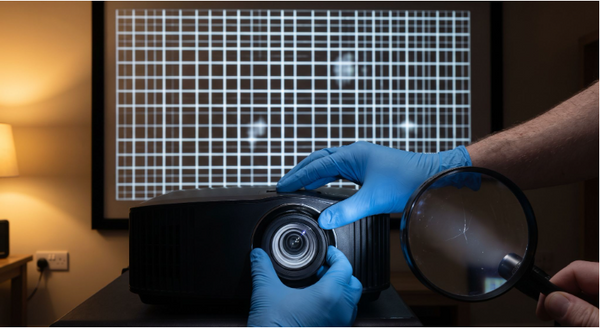
The lens is the final piece of glass (or plastic) the light touches before hitting your wall. Its shape determines where you can place the projector and differs significantly between Long Throw and Ultra Short Throw (UST) projectors.
Standard "Long Throw" Lenses
On most traditional projectors (hanging from a ceiling or sitting on a back shelf), the lens looks like a camera lens.
- Focus Ring: A physical ring you twist to sharpen the image.
- Zoom Ring: Allows you to make the image smaller or larger without moving the projector itself. It is important to understand the difference between optical zoom and digital zoom to avoid losing resolution.
- The Limitation: These require distance (throw) to create a big image, meaning someone walking to get popcorn will cast a shadow on the screen.
Ultra Short Throw (UST) Lenses
On modern Laser TVs like the AWOL Vision LTV-3500 Pro, the lens looks completely different—often recessed and curved, looking almost like a "periscope."
- The Function: These use complex, high-precision optics to project the image up at a steep angle (45 degrees) rather than straight out.
- The Benefit: You can place the unit inches from the wall, eliminating shadows and ceiling mounts. Note that most UST lenses have motorized focus (controlled by remote) rather than a manual ring.
2. The Light Source: The Engine
The most common question users ask is, "How long do projectors last?" The answer depends entirely on which "engine" your projector uses.

High-Pressure Mercury Lamp (The "Bulb")
Found in older home theater and office projectors.
- How it works: An electrical arc ignites mercury vapor to create intense light.
- Lifespan: Short (2,000–5,000 hours). They dim significantly over time. You should know the signs you need a new projector bulb to avoid sudden failure.
- Maintenance: High. You must buy replacement bulbs every few years.
LED (Light Emitting Diode)
Found in portable and mini projectors.
- How it works: Uses electrical diodes to create light.
- Lifespan: Long (20,000+ hours).
- Trade-off: They are generally dimmer than bulbs or lasers. If you plan to watch during the day, you must calculate how many lumens you need.
Triple Laser (RGB)
Found in premium USTs (like AWOL Vision).
- How it works: Uses three separate lasers (Red, Green, Blue) to generate light.
- The Benefit: When comparing laser projectors vs. lamp projectors, lasers are the clear winner. They produce the widest color gamut (BT.2020) and highest brightness, with a lifespan of 20,000+ hours (enough for 10+ years of daily viewing).
3. The Imaging Chip: Where the Image is Formed

Once the light is created, it needs to be shaped into a picture. This happens on a tiny chip deep inside the unit. The debate between DLP vs. LCD projectors is common, but here is the breakdown:
- LCD (Liquid Crystal Display): Common in education and mid-range projectors. It passes light through liquid crystal panels. It creates bright colors but sometimes struggles with deep blacks (contrast).
- DLP (Digital Light Processing): Used in everything from portable units to high-end cinema laser projectors. It uses a chip covered in millions of microscopic mirrors.
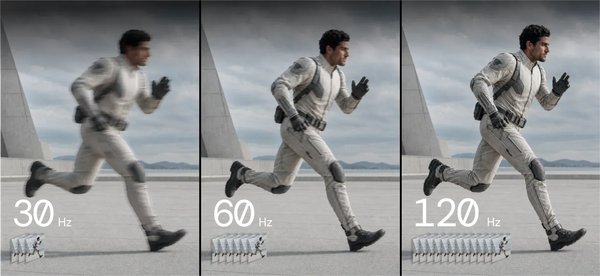
- Why it matters: DLP technology is preferred for 3D movies and fast-motion sports because the mirrors switch instantly, preventing motion blur.
4. Connectivity & Ports: The Input/Output Panel

The back panel of a projector often confuses users, but you usually only need two or three specific ports.
Video Inputs
- HDMI (The Standard): Used for almost everything—Blu-ray players, game consoles, and laptops.
- HDMI eARC: A specific HDMI port designed for audio. This is critical for connecting a soundbar to your projector to ensure you get high-quality surround sound.
- HDMI 2.1: If you are a gamer, look for HDMI 2.1 vs 2.0 to ensure you get the fastest response times.
Power & Data
- USB Type A: Usually used to power a streaming stick (like a Fire TV or Roku). If you are unsure which device to use, check out our guide on the best streaming sticks.
- The "Hidden" Pocket: Some advanced units (like the AWOL Vision) feature a dedicated compartment to hide these devices inside the unit, keeping messy wires out of sight.
5. Cooling & Protection Systems
Projectors generate heat. The brighter the light, the more heat it makes.
- Intake & Exhaust Vents: Cool air is pulled in one side and hot air is pushed out the other.
- Critical Tip: Never place a projector in a closed drawer or press it against a wall where the vents are blocked.
- Air Filter: Most standard projectors have a removable foam or mesh filter to catch dust. If this clogs, the bulb overheats. (Note: Many sealed laser projectors are "dust-proof" and don't require filter cleaning).
6. The "External" Part: The Screen

While not mechanically attached, the screen is a critical component of the system. Many beginners make the mistake of using a wall vs. a projector screen, which ruins the image quality.
- Matte White Screen: Works for standard "long throw" projectors in dark rooms.
- ALR / CLR Screen (Ambient Light Rejecting): Essential for Laser UST projectors. You need to choose between ALR vs CLR screens to ensure your image isn't washed out by ceiling lights or windows.
Frequently Asked Questions
What is the "Keystone" part?
Keystone isn't a physical part; it's a software function. If your projector is angled up or down, the image looks like a trapezoid. You can use our guide to projector keystone correction to fix this, though physically leveling the projector is always better for clarity.
My projector has a "Color Wheel." What is that?
If you have a single-chip DLP projector (common in entry-level models), a wheel spins rapidly to turn white light into Red, Green, and Blue sequentially. Premium Triple Laser projectors don't need this part because they generate RGB colors directly from the lasers.
Can I replace the lens on my projector?
On massive venue projectors (like at concerts), yes. On almost all home and office projectors, the lens is permanently sealed into the chassis and cannot be changed.
Be the First to Know
Subscribe for special deals, news, and important product information, and get your exclusive $100 discount.
Related Articles

Rec2020 Explained: Color Gamut, HDR and Picture Quality
Projector Says No Signal? How to Find and Fix the Problem
Why Is My Projector Blurry? 8 Causes and the Fixes That Work
Projector Lens Shift Explained: How Much Placement Freedom You Actually Get
Projector Lens Replacement: Can You Replace or Repair the Lens?