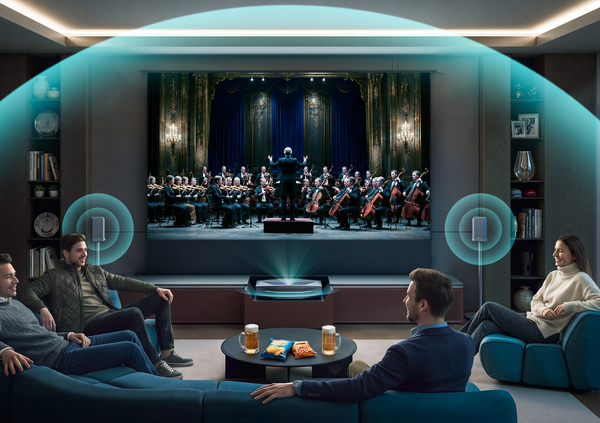
Home Theater Wiring Guide: How to Get the Cleanest Setup
You’ve done the fun part. You picked out the Laser TV projector, the screen, and the sound system. You unboxed everything, set it up, and turned it on. The picture is incredible. The sound is room-shaking.
But then you look down.
Behind your sleek console lies a tangled "spaghetti monster" of HDMI cables, power cords, and speaker wires. It’s not just ugly; it’s a tripping hazard and a dust magnet.
Creating a clean, professional-looking home theater doesn't require tearing down drywall or hiring an electrician. Whether you are rocking a simple soundbar or a full surround sound system, here is your guide to taming the chaos and wiring your room right.
The Golden Rules of Home Theater Wiring
Before you start unplugging things, you need to follow three rules to ensure safety and performance.
1. Safety First: High Voltage vs. Low Voltage
There is a massive difference between the power cord that plugs into the wall (High Voltage) and your speaker/HDMI cables (Low Voltage).
The Rule: Never run a standard TV or projector power cord inside a wall. It is a fire hazard and a code violation. If you need power behind a wall-mounted TV or screen, install a proper outlet or use a code-compliant "in-wall power kit."
2. Separation of Church and State
Have you ever heard a low "hum" coming from your subwoofer? That is often caused by electromagnetic interference.
The Rule: Do not bundle your power cords and signal cables (HDMI/Speaker wire) tightly together. If they must cross, try to cross them at a 90-degree angle rather than running them parallel.
3. Measure Twice, Buy Once
Nothing is worse than buying a 6-foot cable when you need 7 feet.
The Rule: Always leave yourself "service slack." You need enough extra cable to pull your receiver or projector out of the cabinet to clean or check connections without disconnecting everything.
Choosing the Right Cables (Without Overspending)
You don't need to spend a fortune on "snake oil" cables, but buying the wrong spec can bottleneck your system.
Speaker Wire: The Gauge Debate
One of the most common questions is: Should I use 12 AWG or 14 AWG wire?
- 16 AWG: Fine for short runs (less than 50ft) and easy to hide.
- 14 AWG: The "Goldilocks" standard. It’s thick enough for high performance but flexible enough to route around corners.
- 12 AWG: Thick and heavy. Only necessary for very long runs (over 80ft) or high-end audiophile towers.
Pro Tip: Always look for Oxygen-Free Copper (OFC) wire. Avoid "Copper Clad Aluminum" (CCA), which is cheaper but has higher resistance and can degrade sound quality over time.
HDMI: The 4K Pipeline

For a modern Laser TV like the AWOL LTV-3500 Pro, your old HDMI cables might not cut it. To get 4K at 60Hz or 120Hz (for gaming), you need bandwidth.
- The Standard: Ensure your cables are rated Ultra High Speed (48Gbps). This is often labeled as HDMI 2.1.
- Why it matters: Using an older HDMI 2.0 cable can cause signal dropouts, flickering, or force your expensive projector to display a lower resolution. Read our deep dive on HDMI 2.0 vs 2.1 for Home Theater to see if you need an upgrade.
The Connection Map: Wiring Your Laser TV
Unlike old-school ceiling projectors that required running 50-foot HDMI cables through your ceiling, Ultra Short Throw (UST) projectors sit right at the front of the room. This makes wiring much easier, similar to a standard TV setup.
The "Hub" Strategy
Your AV Receiver (AVR) or Soundbar should act as the central hub.
- Sources: Connect your PS5, Apple TV, or Fire Stick directly to the AVR/Soundbar inputs.
- Output: Run a single HDMI cable from the AVR's "HDMI OUT" to the Projector's "HDMI ARC/eARC" port.
Confused about connecting audio? Check out our guides on Connecting a Soundbar to a 4K Projector or How to Connect a Projector to a Surround Sound System.
How to Hide Speaker Wire (No Drywall Required)
If you are setting up surround sound in a finished living room, you probably don't want to cut holes in your walls. Here is how to hide the wires for rear speakers.
1. Ghost Wire (Flat Adhesive Wire)
This is a game-changer for renters. "Ghost wire" is paper-thin copper tape with an adhesive backing. You stick it directly to your wall or baseboard, and because it’s flat, you can paint right over it. It becomes virtually invisible.
2. The Baseboard Raceway
If you can't go in the wall, go on it. Plastic cable raceways (channels) stick to the top of your baseboard. They snap shut to hide the wires and can be painted to match your trim.
3. The "Rug Tuck"
For hardwood floors, use flat speaker wire and run it underneath a large area rug. This is the easiest way to get a wire from the front of the room to your couch for those rear surround speakers.
Taming the Media Console (Hiding Cords on the "Desk")
The area behind your projector can quickly become a disaster zone. Here is how to manage the "desk" clutter.
The Bundle Method
Use Velcro ties instead of plastic zip ties. Velcro allows you to easily add or remove a cable later. Group your cables by destination (e.g., "Power Bundle" and "Signal Bundle") and strap them to the back legs of your furniture.
The Ultimate Solution: The Smart Cabinet

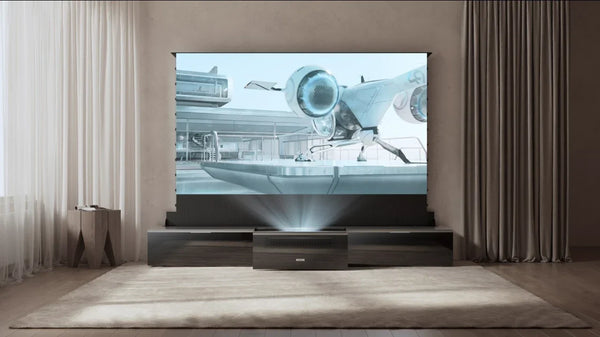
If you want the cleanest possible look—where you see zero wires, zero projector, and zero screen when not in use—consider a specialized solution.
The AWOL Vision Vanish Laser TV Cabinet is designed specifically to solve the wiring problem.
- Integrated Management: It has dedicated internal routing for power and HDMI, keeping them completely hidden.
- The Magic Trick: It houses the projector in a motorized drawer and the rollable screen in the back. When you turn it off, everything disappears. It transforms a complex home theater into a simple piece of furniture.
FAQ: Common Wiring Questions
My subwoofer is making a humming noise. Why?
This is usually a "ground loop." Try plugging your subwoofer into the same power strip as your projector and receiver. If that fails, check if your power cable is crossing your subwoofer’s RCA cable.
Can I extend speaker wire by twisting two pieces together?
You can splice wire, but it's not ideal. It introduces resistance and a potential failure point. It is always better to buy a longer continuous run of wire.
How do I connect my gaming console for the best speed?
For the lowest latency (lag), connect your PS5 or Xbox Series X directly to the projector if it supports high refresh rates, then use eARC to send audio to your sound system. Learn more in our guide: How to Connect PS5 to Projector.
Do I need special HDMI cables for in-wall use?
Yes. If you are running cables inside a wall or ceiling, look for "CL2" or "CL3" rated cables. These have fire-resistant jackets required by building codes.
Be the First to Know
Subscribe for special deals, news, and important product information, and get your exclusive $100 discount.
Related Articles

7 Basement Home Theater Ideas with a Style of Their Own
Projector Screen Paint: Is It Worth Painting Your Wall?
A Projector in an Apartment: Make Room for the Screen, Not a Theater
Small Man Cave Ideas: 10 Activity-Based Setups for Limited Space
Frame TV Alternative: A Smarter Vision for the Living Room