















What Does a 4K 120Hz Projector Mean and Why Does It Matter?
"4K" and "120Hz" show up on spec sheets constantly, often mentioned in the same breath as if they were a single feature. They're not. They solve two completely different problems, and understanding the difference matters even more on a projector than it does on a TV or monitor — because projectors typically fill a much bigger screen, at a longer distance, with more moving parts in the signal chain between your source and the image on your wall.
This guide breaks down what 4K and 120Hz each actually do, why the combination is a bigger engineering ask on a projector than on a flat panel, and how to tell a projector that genuinely delivers 4K at 120Hz from one that just prints both numbers on the same box.
1. What Is a 4K 120Hz Projector?
A 4K 120Hz projector is a projector capable of displaying a 3840 x 2160-pixel image while refreshing that image up to 120 times per second. That's the simple definition — but "4K" and "120Hz" are two entirely separate specifications, each solving a different part of the picture, and it's worth looking at them one at a time before putting them back together.
1.1 What Does 4K Mean?
4K refers to resolution — the number of individual pixels that make up the image. A 4K image is typically 3840 x 2160 pixels, which works out to roughly 8.3 million pixels total, or four times the pixel count of 1080p Full HD.
More pixels means more room to render fine detail: individual leaves on a tree, the texture of fabric, small text, distant background elements. On a projector, where the image is stretched across a much larger surface than a TV screen, that extra pixel density matters even more. The same 1080p image blown up to 120 inches has to stretch each pixel much further than it would on a 55-inch TV, so a jump to 4K keeps the image looking crisp rather than soft or blocky at that size.
1.2 What Does 120Hz Mean?
120Hz refers to refresh rate — how many times per second the display can draw a new image. A 120Hz-capable projector can refresh the picture up to 120 times per second, compared to 60 times per second on a standard 60Hz display.
Refresh rate has nothing to do with detail. Its job is to affect how smoothly motion is rendered — fast camera pans, quick cuts, anything moving across the screen. A higher refresh rate gives the display more opportunities to show an updated position for anything in motion, which is what makes fast movement look fluid instead of choppy.
1.3 What Does "4K + 120Hz" Mean Together?
Put simply:
- — 4K answers the question "how sharp is the image?"
- — 120Hz answers the question "how smooth is the motion?"
They're not the same axis, and neither one substitutes for the other. A projector can have stunning 4K detail and still look choppy during fast motion if its refresh rate and processing can't keep up. It can also refresh smoothly at 120Hz and still look soft if the underlying resolution or optics are lacking. "4K 120Hz" is really shorthand for "sharp and smooth" — two separate wins that both have to be true at the same time for the label to mean what it implies. That last part, at the same time, turns out to be the detail that trips up a lot of spec sheets, which we'll come back to.
2. Why Do We Usually Hear About 4K 120Hz on TVs and Monitors First?
4K 120Hz became a familiar spec on TVs and gaming monitors well before it showed up on projectors, and that history shapes how most people think about the spec today.
2.1 On TVs
4K has been the standard resolution on mid-range and premium TVs for years. 120Hz, meanwhile, tends to matter most for a narrower set of content: sports broadcasts, action-heavy movies, and — especially — gaming. Current-generation game consoles output at up to 4K/120fps in supported titles, and that alone pushed a lot of TV buyers to specifically look for "4K 120Hz" as a checkbox feature, since a TV that only handles 4K at 60Hz can't take full advantage of what a console can send it.
2.2 On Gaming Monitors
On the monitor side, 120Hz and higher refresh rates are even more common, largely driven by PC gaming, where fast camera movement, quick turns, and competitive play all benefit noticeably from a higher refresh rate. A large share of people's general familiarity with "4K 120Hz" as a concept actually comes from monitor shopping rather than TV or projector shopping — it's a spec PC gamers have been chasing for years.
So by the time "4K 120Hz" shows up on a projector's spec sheet, most buyers already have a mental model of what it should mean, built entirely from flat panels sitting a few feet away. But a projector isn't a flat panel, and it isn't sitting a few feet away — which raises the real question this guide is here to answer: what does 4K 120Hz actually mean when the display is a projector?
3. 4K vs. 120Hz: What Does Each Specification Actually Solve?
It's worth separating these two specs one more time, because conflating them is the single most common source of confusion when shopping for a projector.
|
Resolution (4K)
|
Refresh Rate (120Hz)
|
|
|
What it measures
|
Pixels per frame
|
Frames per second
|
|
What it improves
|
Detail, sharpness, texture, fine lines
|
Motion smoothness, responsiveness
|
|
What it doesn't touch
|
Motion fluidity, judder, stutter
|
Image sharpness, color, fine detail
|
|
Where you notice it most
|
Static or slow scenes, text, textures
|
Fast pans, sports, gaming, action sequences |
Resolution and refresh rate are solving different problems, not stacking to create one bigger "better" number. A 4K image that refreshes slowly can look extremely sharp and still feel choppy the moment something moves quickly across the screen. A 120Hz image built from a lower native resolution can feel buttery-smooth and still look visibly softer than true 4K when the camera holds still on fine detail. Neither spec compensates for a weakness in the other, which is exactly why it's worth checking both independently rather than assuming a projector that's strong in one area is automatically strong in both.
4. Why Does 120Hz Matter on a Projector?
If 120Hz is really about motion rather than detail, where does that actually show up in day-to-day projector use? Four places, in particular:
Gaming. Fast camera movement is where refresh rate is most obvious — racing games, first-person shooters, and other titles with quick camera pans benefit directly from a higher refresh rate, since the display has more opportunities per second to show an updated frame.
Sports. Soccer, basketball, motor racing, and similar fast-paced sports involve players, balls, and vehicles moving quickly and somewhat unpredictably across the frame. A higher refresh rate helps that motion read as continuous rather than as a series of slightly disconnected snapshots.
Action movies. Fast pans and quick action sequences are exactly the kind of content where a low refresh rate becomes visible as stutter or judder. A higher refresh rate, paired with the right processing, can reduce how obvious that unevenness is.
Large-screen entertainment, generally. This part is specific to projectors rather than TVs or monitors: projectors are typically used to fill a much bigger image, well beyond the 55–65 inches typical of a TV. At that size, and the viewing distances that go with it, your eyes cover more of the screen when tracking something in motion, and any unevenness in that motion tends to be easier to notice, not harder. A stutter that's subtle on a 55-inch TV can be considerably more obvious blown up to 120 or 150 inches.
It's worth being precise about what "unevenness in motion" actually means, since these terms get thrown around loosely:
- — Motion blur is when fast-moving objects appear smeared or trailing rather than sharply defined. It's related to how long the display "holds" each frame before switching to the next one — a higher refresh rate generally shortens that hold time, which is part of why higher-refresh displays tend to show less blur on fast motion.
- — Judder is uneven, stepping motion, most often caused by a mismatch between the frame rate of the source content and the display's native refresh rate. The classic example is 24fps film content displayed through an imprecise conversion process, which can create a slight stutter-step during camera pans even though nothing is technically wrong with either the content or the display.
- — Stutter is irregular timing between frames — gaps or delays in delivery, even when the average frame rate looks fine on paper. This usually points to something in the processing or signal chain rather than the display's basic refresh capability.
Knowing which of these you're actually seeing (or trying to avoid) is more useful than chasing a higher Hz number on its own, since a high refresh rate can't fix judder caused by a frame rate mismatch, and it can't fix stutter caused by a processing bottleneck.
5. Is 120Hz Better Than 60Hz for Projectors?
In isolation, yes — a 120Hz-capable projector can refresh a new frame every 8.3 milliseconds, compared to every 16.7 milliseconds on a 60Hz projector, which gives it more headroom for smooth, fast motion.
|
60Hz
|
120Hz
|
|
|
Frame time budget
|
16.7 ms per frame
|
8.3 ms per frame
|
|
Motion feel
|
Fine for slower content, standard films and shows
|
Smoother on fast motion — gaming, sports
|
|
24fps film content
|
Standard pulldown behavior most viewers are used to
|
Still needs matched processing — doesn't auto-smooth without it
|
|
Best fit
|
Everyday viewing, movies, general TV
|
Gaming, sports, fast or competitive content
|
But "is 120Hz better" is the wrong question to stop at, because it skips the part that actually determines your experience: what's the frame rate of what you're watching?
This is the single most important thing to understand before assuming a 120Hz projector automatically means a better picture: a 120Hz projector does not mean every video automatically becomes 120fps.
120Hz describes the maximum refresh rate the display is capable of — it's a ceiling, not a converter. Most movies are still mastered around 24 frames per second, regardless of what display you watch them on. Broadcast sports vary by format and region, often well under 120fps. Only certain game content, on capable hardware, can actually approach rendering near 120 frames per second.
So what happens when 24fps or 60fps content plays on a 120Hz display? One of two things:
- — The projector repeats existing frames evenly to fill the extra refresh cycles — simple and faithful to the source, but it doesn't manufacture new smoothness that wasn't there to begin with.
- — The projector applies motion interpolation (sometimes called MEMC, or marketed under various "smooth motion" names) to generate synthetic in-between frames. This can make motion look smoother, but it's also the technology responsible for the "soap opera effect" many film viewers dislike — a slightly artificial, hyper-real look — and it can add extra processing delay in the process.
In other words: the content source, the device feeding the projector, the HDMI connection, and how the projector processes the signal all shape the final result just as much as the projector's maximum Hz rating does. A 120Hz projector is necessary for a smooth high-frame-rate experience, but it isn't sufficient on its own — the rest of the chain has to cooperate too.
6. Do You Need a 4K 120Hz Projector?
The honest answer depends far more on what you actually watch than on the spec sheet:
- — Gaming is where 120Hz earns its keep most directly — fast reflexes, panning, and competitive play all benefit from the extra headroom.
- — Sports benefit almost as much, thanks to fast, often unpredictable motion and frequent camera cuts.
- — Movies lean more heavily on resolution, HDR, contrast, and color accuracy than on refresh rate, since most film content isn't mastered at a high frame rate in the first place.
- — General home theater use usually calls for a balance: strong resolution, contrast, and brightness for cinematic quality, with high refresh rate as a welcome bonus for the occasional gaming session or big game night rather than the main event.
- — Everyday, casual viewing — catch-up TV, background streaming, casual movie nights — is usually served perfectly well by 60Hz, since most of that content was never going to use the extra headroom anyway.
Whether you need 4K 120Hz depends less on the number itself and more on what you watch and how you use your projector. A great spec that never gets exercised by your actual content isn't doing much for you, and a projector that's merely good at 4K/60 but excellent everywhere else can outperform one that's mediocre elsewhere but technically checks the 4K/120 box.
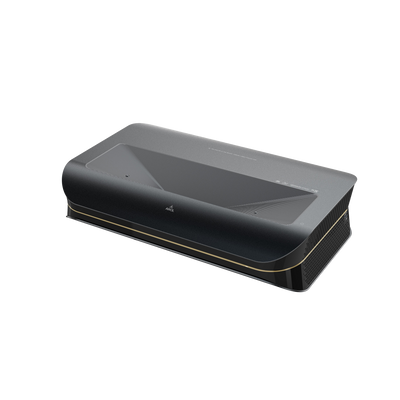
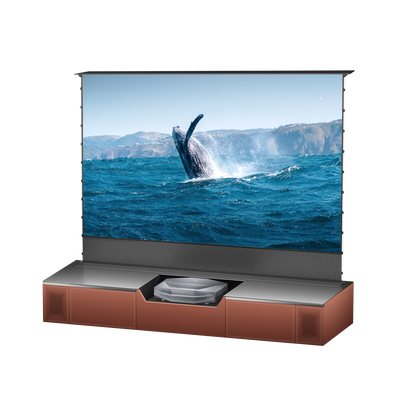
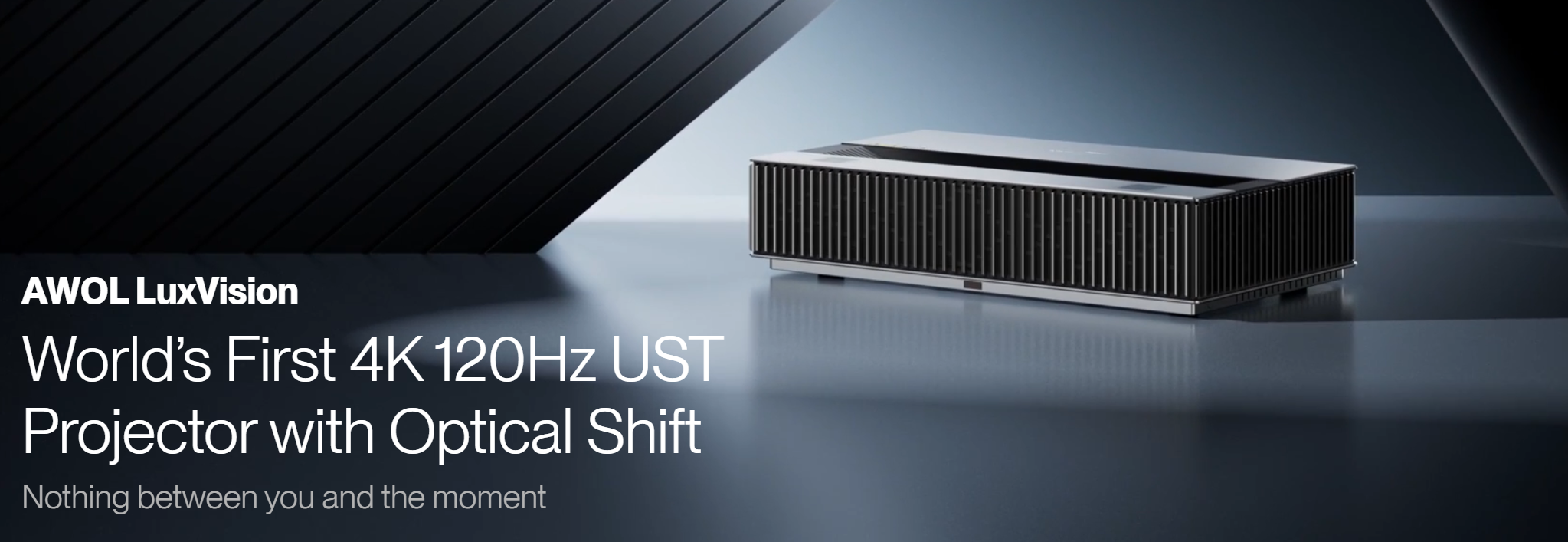
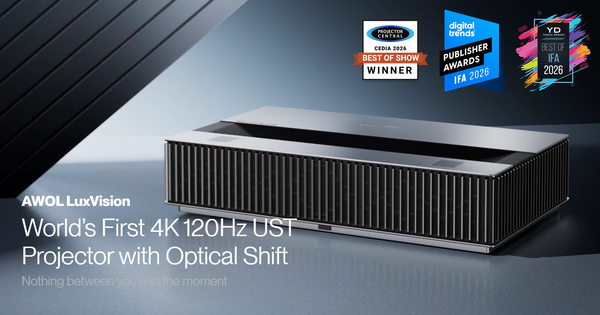
If you're interested in experiencing what 4K 120Hz can bring to your viewing and gaming experience, keep an eye on AWOL LuxVision, the World’s First 4K 120Hz UST Projector with Optical Shift. LuxVision has received industry recognition at major 2026 trade shows, including a Best of Show Award from ProjectorCentral at CEDIA 2026, as well as awards from Digital Trends and Yanko Design at IFA 2026. Visit the official AWOL website to learn more about the new 4K 120Hz UST projector.

7. What to Look for in a 4K 120Hz Projector (Beyond the Spec Sheet)
Seeing "4K" and "120Hz" printed on a box doesn't guarantee you're getting a projector that does both at once, at a usable quality level, with low enough latency to feel responsive. Here's what actually separates a genuinely capable 4K 120Hz projector from one that's only technically allowed to use the label.
7.1 Native vs. supported (pixel-shifted) 4K.
Some projectors use imaging chips that map every one of the 3840 x 2160 pixels directly and individually — genuinely native 4K. Others use a lower native chip resolution (often in the 1080p-to-2K range) and rely on pixel-shifting technology, rapidly and repeatedly nudging each pixel by a fraction of its width to simulate the full 8.3-million-pixel count of a 4K image. Both approaches can carry the "4K" label under prevailing display-industry standards, since those standards are generally based on the number of distinct pixels landing on the screen rather than the physical chip count. The engineering differs, though, and it can show up in perceived fine detail, especially at closer viewing distances.
7.2 120Hz — but at what resolution?
This is the single most important thing to verify, and the easiest thing for a spec sheet to obscure. Some projectors can genuinely do 4K and 120Hz at the same time. Others can only reach 120Hz by dropping down to 1080p or 1440p, reserving true 4K for 60Hz — meaning "4K" and "120Hz" are both real, but never true simultaneously. Don't take "4K" and "120Hz" as two independent facts about a projector; confirm the spec sheet or manual explicitly states 4K at 120Hz as one combined mode, not two separate modes that happen to be listed near each other.
7.3 HDMI bandwidth.
Carrying a 4K/120Hz signal takes a lot of data. Older HDMI 2.0 connections, which top out well below what's needed, can't cleanly carry it without compromises. HDMI 2.1 (rated up to 48Gbps) is generally what's required, delivered over a certified "Ultra High Speed" cable. One catch worth knowing: not every port labeled "HDMI 2.1" actually carries the full bandwidth that label implies — it's a feature-set name, not a bandwidth guarantee — so two devices with the same port label can behave quite differently once you actually push a 4K/120 signal through them.
7.4 Chroma subsampling.
Related to the bandwidth issue above: to fit a 4K/120 signal even over HDMI 2.1, some devices reduce color sampling (using formats like 4:2:0 or 4:2:2 instead of full 4:4:4) to save bandwidth. This trades a bit of color precision and fine-detail crispness for the higher frame rate — usually a reasonable trade for fast-moving video content, but more noticeable on static text or detailed on-screen graphics. It's worth checking which chroma format a projector actually uses once 4K at 120Hz is enabled, rather than assuming full-quality color automatically comes along for the ride.
7.5 Input lag.
This is a separate spec from refresh rate, and a projector can be 120Hz-capable while still having mediocre input lag if its processing pipeline is slow. As a rough guide, 60Hz gives you about 16.7 milliseconds per frame and 120Hz gives you about 8.3 milliseconds; for the experience to feel responsive, actual measured input lag should sit meaningfully below that frame time, and a dedicated "game mode" (which typically disables heavier picture processing) is usually necessary to get there. Refresh rate tells you the ceiling; input lag tells you what you actually feel in your hands.
7.6 Motion processing.
Many projectors offer motion smoothing or interpolation to manufacture extra in-between frames from lower-frame-rate sources. It can help sports and live TV look fluid, but it's often disliked for film for the reasons covered above, and it can add processing delay. Look for a projector that lets you toggle this per source or content type, rather than one that applies it universally.
7.7 Brightness.
Because projectors are typically used to fill a much larger image than a TV, they need enough lumens to keep detail and color visible, particularly in rooms with any ambient light. This matters more, not less, when you're also chasing fast, detailed motion — a dim, washed-out image doesn't get meaningfully better just because it's refreshing faster.
7.8 Contrast.
Deep blacks and strong dynamic range affect how much of that resolution and motion detail actually registers as depth on screen. A high-resolution, high-refresh image can still look flat without solid contrast performance behind it.
7.9 Throw ratio and placement.
Standard-throw and ultra-short-throw (UST) designs place the projector in very different spots relative to the screen, which matters for your room layout more than for the video processing itself. Worth noting: UST designs pack extra optics — mirrors and lenses positioned close to the screen — into a tighter space, which makes combining that format with full 4K/120Hz processing a harder engineering problem than in a standard-throw body. Options in that specific combination remain more limited than standard-throw 4K/120Hz models.
7.10 Gaming compatibility.
Beyond the headline 4K/120Hz claim, check for the HDMI 2.1 features that go with it: VRR (variable refresh rate, which reduces screen tearing) and ALLM (auto low latency mode, which switches the projector into game mode automatically when it detects a console or PC). Real-world support for these varies by device, so it's worth confirming compatibility with the specific console or GPU you plan to use rather than assuming every HDMI 2.1 port behaves identically.
8. Frequently Asked Questions
8.1 Does a 4K 120Hz projector make regular movies look better?
Mostly through the 4K side — resolution, HDR, and contrast — rather than the 120Hz side, since most films are still mastered around 24fps. 120Hz becomes most noticeable with fast-motion content like games and sports, not standard film viewing, unless motion processing is applied, which comes with its own trade-offs.
8.2 Can any HDMI cable handle 4K 120Hz?
No. It requires enough bandwidth to carry the signal, which generally means an HDMI 2.1-certified "Ultra High Speed" cable. Older, cheaper, or excessively long cables can silently force a fallback to a lower resolution or refresh rate, or push the connection into heavier chroma subsampling than necessary.
8.3 Is 120Hz pointless if my console or PC can't output 120fps?
Not pointless, but its benefit is limited by what's actually feeding the projector. The advantage of a 120Hz-capable projector only shows up fully when the source can genuinely deliver frame rates that approach 120fps, which currently depends on the specific game, console, or PC hardware in use.
8.4 Does a higher refresh rate always mean lower input lag?
No — the two are related but separate specs. Input lag depends on the entire processing pipeline, including game mode settings and motion processing, not just the panel's maximum refresh rate. Always check tested input lag at the resolution and refresh rate combination you'll actually use, rather than relying on the headline Hz number alone.
8.5 Are all "4K 120Hz" projectors natively 4K?
No. Some use native imaging chips that map every 4K pixel directly; others rely on pixel-shifting technology to simulate the same pixel count from a lower native chip resolution. Both can be labeled "4K" under prevailing industry standards, though the approach can affect perceived fine detail, particularly at close viewing distances.
9. The Bottom Line
4K and 120Hz solve two different problems: one is about how much detail is in each frame, the other is about how smoothly those frames follow one another. Both matter, but they matter for different kinds of content, and a projector can be genuinely strong in one without being strong in the other. Before buying based on a "4K 120Hz" headline, it's worth confirming that both specs are real, simultaneous, and backed by the bandwidth, processing, and input lag needed to actually deliver the experience the label promises, rather than two impressive numbers that were never meant to be read together in the first place.
Be the First to Know
Subscribe for special deals, news, and important product information, and get your exclusive $100 discount.
Related Articles
Projector Says No Signal? How to Find and Fix the Problem
Why Is My Projector Blurry? 8 Causes and the Fixes That Work
Projector Lens Shift Explained: How Much Placement Freedom You Actually Get
Projector Lens Replacement: Can You Replace or Repair the Lens?
Projector Overheating: Why It Happens and How to Stop It