
































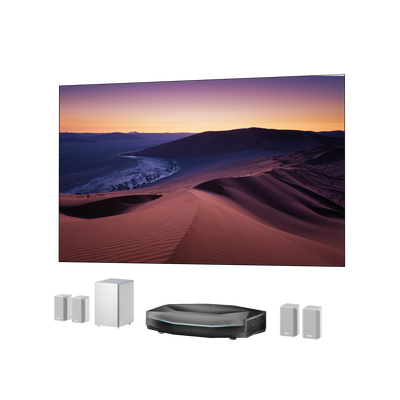


Dolby Audio Explained: What It Means for Your Home Theater
Dolby Audio is a family of audio technologies that helps movies, shows, games, and music sound clearer, louder, more consistent, and more immersive across TVs, projectors, soundbars, laptops, phones, and home theater systems. It is not one single speaker layout or one single codec. In everyday home theater use, "Dolby Audio" often points to Dolby Digital, Dolby Digital Plus, surround sound processing, dialogue clarity, volume leveling, and device compatibility.
What Is Dolby Audio?
Dolby Audio is a broad label for Dolby sound technologies that improve clarity, volume consistency, surround playback, and device compatibility. On a TV, projector, streaming device, soundbar, or laptop, Dolby Audio usually means the device can decode or process Dolby formats such as Dolby Digital or Dolby Digital Plus, then play them through built-in speakers or pass them to an external sound system.
The practical takeaway is simple: Dolby Audio can make everyday audio cleaner and more cinematic, but the final result depends on your full chain. The content, app, playback device, HDMI connection, soundbar or receiver, and speaker layout all matter.
What Dolby Audio Does

Dolby Audio is less about one magic button and more about a group of improvements that can work together.
Clearer Dialogue
Dialogue clarity is one of the biggest reasons people notice Dolby processing. Good dialogue handling keeps voices anchored and intelligible, even when a scene has music, effects, or crowd noise behind it.
This does not mean every whisper will become loud. It means the mix can be reproduced with better balance when the device and audio format support it.
More Consistent Volume
Dolby Audio can include volume leveling and dynamic range control. These features help reduce big jumps between apps, shows, commercials, and action scenes. That is useful in living rooms, bedrooms, apartments, and late-night viewing.
Channel-Based Surround Sound
Dolby Audio can support traditional channel-based surround formats such as 5.1 and 7.1. In a 5.1 setup, sound is routed to fixed channels: front left, center, front right, surround left, surround right, and a subwoofer channel. In a 7.1 setup, additional surround channels add more directionality behind or beside the listener.
Better Playback Across Devices
Dolby Audio is common across TVs, projectors, streaming boxes, laptops, phones, tablets, soundbars, and AV receivers. The experience will not be identical on every device. A phone speaker, a projector speaker, a soundbar, and a full speaker system all have very different physical limits. But the Dolby format or processing can help the device handle the soundtrack more predictably.
Dolby Audio vs Dolby Digital vs Dolby Digital Plus
These names are easy to confuse because they often appear in the same settings menu.
| Term | What it means | Typical home theater role |
|---|---|---|
| Dolby Audio | Broad consumer-facing umbrella for Dolby sound technologies and processing | Signals that a device can support Dolby audio playback or processing |
| Dolby Digital | Older, widely supported surround sound format | Common 5.1 format for broadcast, DVD, older devices, and compatibility |
| Dolby Digital Plus | Newer, more efficient surround sound format | Common streaming and modern TV format, with support for up to 7.1 channels |
Dolby Digital Plus is especially important because Dolby identifies it as a core format for Dolby Audio. It is also common in streaming because it can deliver multichannel sound efficiently over bandwidth-limited connections.
How to Set Up Dolby Audio at Home

Check the Content First
Look for the audio format inside the streaming app, disc menu, console settings, or player information screen. If the content only has stereo audio, your system may still process it, but it will not become true discrete 5.1 or 7.1 surround.
Check the Playback Device
Your streaming stick, Apple TV, Roku, game console, Blu-ray player, laptop, TV, or projector has to output the right format. In many menus, you will see options such as Auto, Bitstream, Dolby Digital, Dolby Digital Plus, PCM, or Passthrough.
For most home theater setups, Auto or Passthrough is a good starting point. PCM can be useful for compatibility, but it may change how surround formats are sent to the sound system.
Use the Right HDMI Path
For simple stereo or compressed 5.1, older connections can often work. For modern home theater audio, HDMI is usually the better path. If your setup uses a TV or projector as the hub, learn the difference between eARC vs. ARC before assuming every HDMI port behaves the same way.
ARC can carry many common audio formats, but eARC has more bandwidth and is better suited for higher-quality audio routing. The exact result still depends on the devices on both ends.
Choose a Soundbar or Receiver That Matches Your Goal
A soundbar is the easiest upgrade for many rooms. A receiver with separate speakers gives you more placement flexibility and a wider upgrade path. If you are choosing a soundbar for projector setups, focus on HDMI input/output, ARC/eARC support, passthrough behavior, channel layout, and where the soundbar will sit relative to the screen.
Confirm the Format on the Soundbar or Receiver
Many receivers and soundbars show the incoming format in an app, front-panel display, or on-screen menu. Look for labels such as Dolby Digital, Dolby Digital Plus, Dolby Surround, Dolby TrueHD, or Dolby Atmos.
Do not rely only on the streaming app badge. A movie may be offered in a Dolby format, but your system may still output stereo if one device in the chain is set incorrectly.
Which Speaker Setup Do You Need?
You can benefit from Dolby Audio with many setups, but each one has limits.
| Setup | What it can do well | Main limitation |
|---|---|---|
| Built-in TV or projector speakers | Better clarity and volume processing | Limited bass, width, and surround effect |
| 2.0 stereo | Clear left/right separation | No dedicated subwoofer or center channel |
| 2.1 soundbar | Better bass and simple setup | Limited surround directionality |
| 3.1 soundbar | Stronger dialogue with center channel | Still limited rear immersion |
| 5.1 system | True surround channels | Requires rear speaker placement |
| 7.1 system | More rear/side detail | Needs room space and calibration |
| Atmos soundbar or receiver setup | Height and object-based audio | Requires Atmos content and compatible hardware |
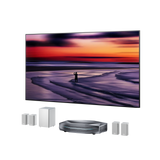
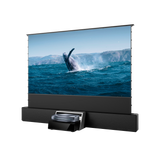
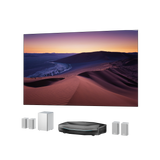
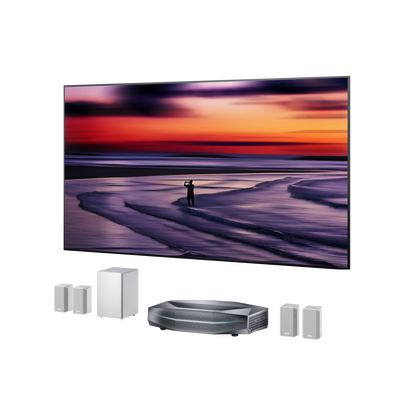
If you are deciding between a 2.1 or 5.1 soundbar, start with your room. A bedroom, apartment, or casual living room may be better served by a compact 2.1 or 3.1 soundbar. A dedicated movie room can justify 5.1, 7.1, or Atmos-capable hardware. For users who want a cleaner setup without complex wiring, AWOL ThunderBeat is designed to work with compatible projector systems. Its CenterSync feature allows the projector to function as the center channel, helping dialogue stay aligned with the screen while supporting a more immersive surround experience.

Is Dolby Audio Worth It?
Yes, dolby audio is worth considering because it helps bring the sound experience closer to the scale and emotion of modern home entertainment. For a home theater, especially one built around a large screen or projector, audio should not feel like an afterthought. It should support the story, the atmosphere, and the sense of space on screen.
The real value of Dolby Audio is not just technical compatibility. It is about creating a more complete viewing experience, where picture and sound work together to make movies, games, sports, and music feel more engaging from beginning to end.
FAQ
Is Dolby Audio the same as Dolby Atmos?
No. Dolby Audio is a broader label for Dolby audio technologies and processing, often including channel-based formats such as Dolby Digital and Dolby Digital Plus. Dolby Atmos is a specific object-based immersive audio format that can add height and 3D spatial sound.
Does Dolby Audio mean surround sound?
Sometimes, but not always. Dolby Audio can support surround formats such as 5.1 and 7.1, but the final output depends on the content, device, connection, and speaker system. A Dolby Audio TV with only built-in speakers will not sound like a true 5.1 speaker layout.
Is Dolby Audio better than stereo?
For movies, TV, and games, Dolby Audio can be better than basic stereo because it may support clearer dialogue, volume consistency, and multichannel surround. But high-quality stereo speakers can still sound better than weak built-in speakers with Dolby processing.
Do I need eARC for Dolby Audio?
Not always. Many Dolby Digital and Dolby Digital Plus signals can work through common HDMI ARC setups. eARC becomes more important when you want higher-bandwidth formats, cleaner passthrough, and fewer compatibility limits in a modern home theater.
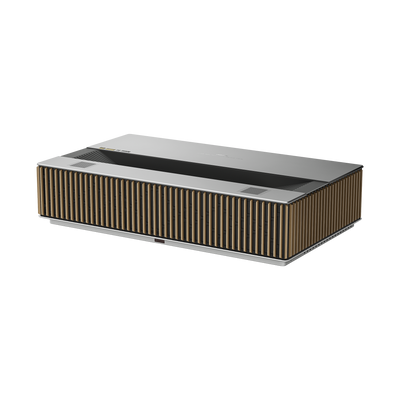
Can a projector play Dolby Audio?
Yes, if the projector supports Dolby decoding or passthrough. For the best result, connect the projector or source device to a soundbar or AV receiver that can decode the Dolby format you want to hear.
Be the First to Know
Subscribe for special deals, news, and important product information, and get your exclusive $100 discount.
Related Articles
Playing PS4 on a Projector: Setup, Settings, and Better Gaming

7 Basement Home Theater Ideas with a Style of Their Own

Projector Screen Paint: Is It Worth Painting Your Wall?

A Projector in an Apartment: Make Room for the Screen, Not a Theater
How to Watch NFL Games in 4K in 2026