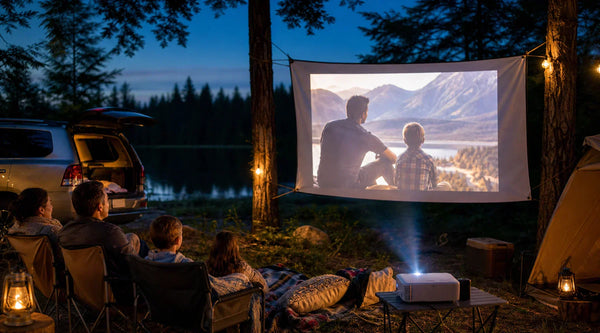
What Is a 3D Ready Projector? Setup & 4K Upgrades
It can be incredibly frustrating to unbox a brand-new projector, pop in a 3D Blu-ray, and realize your system simply won’t play it.
With the massive success of films like Avatar, the desire to bring the cinematic 3D experience back into the living room has exploded. Unfortunately, this resurgence has also highlighted one of the most confusing pieces of marketing jargon in home theater history: the "3D Ready" label.
If you bought a 3D Ready projector expecting it to seamlessly play your 3D movies right out of the box, you aren't alone. Below, we are breaking down exactly what this term means, the secret behind 3D formats, and how to fix your setup so you can finally enjoy true 4K and 3D immersion.
What Does "3D Ready" Actually Mean?

When consumers run into compatibility issues, they often assume they bought the wrong type of projector. However, the truth is a bit more complicated.
Because there is no standard terminology approved by an industry consortium, brands use 3D labels very loosely. "3D Ready" simply means the projector supports at least one of the available 3D input formats. Similarly, you might see labels like "Full HD 3D" or "Full 3D." In reality, these are often just marketing terms meant to spruce up a straightforward concept: it simply means the projector supports Full HD (1080p) resolution and is 3D ready.
The Format Compatibility Issue: Why Your Blu-Ray Might Not Work
If "3D Ready" means the projector can play 3D, why isn't your movie working? It comes down to 3D Signal Formats. To create the 3D effect, projectors use "frame sequential 3D" (rapidly alternating left-eye and right-eye frames). However, the way that data is sent to the projector varies:
- Side-by-Side & Top-and-Bottom: These formats split a single video frame in half (either vertically or horizontally). The projector then upscales these halves to create the 3D image. This format is commonly used for downloaded content or streaming from a PC, but it degrades the original resolution.
- Frame Packing: This format abandons the split-screen method. It sends two full-resolution frames (one for the left eye, one for the right) packed together. Because it preserves maximum quality, Frame Packing is the standard used by 3D Blu-Ray players.
The Problem: Many budget or older projectors labeled "3D Ready" only support Side-by-Side formats via a PC. Because they do not have the internal hardware to decode the heavy data bandwidth of Frame Packing, you cannot plug a 3D Blu-Ray player directly into them.
Why a "Mini Projector 3D Ready" Might Fall Short
When searching for a mini projector 3D ready, consumers often run into this exact wall. Portable models frequently boast 3D capabilities to drive sales. However, they almost exclusively rely on PC-based Side-by-Side formats rather than plug-and-play Frame Packing. Furthermore, they usually lack the crucial brightness required to make a 3D image watchable.
How to Watch 3D Movies on Your Current Projector
If you are currently stuck with a projector that doesn't support direct Blu-ray playback, you can still watch your movies by bridging the hardware gap.
The Essential Hardware Setup
To bypass the limitations of a projector that only supports Side-by-Side formats, your setup must include:
- A Compatible PC: Your PC will serve as the media player instead of a standard Blu-ray player.
- A Capable Graphics Card: You need a GPU capable of processing and converting your 3D files.
- 3D Playback Software: Programs like Stereoscopic Player that can decode 3D files and output them in a format (like Side-by-Side) that your projector recognizes.
Choosing Compatible 3D Glasses

Passive 3D glasses (like the cheap plastic ones from the movie theater) will not work here. Home projectors require Active Shutter glasses. These glasses feature lenses that rapidly turn transparent and opaque in sync with the projector's alternating frames.
Curious about how this technology evolved? Check out our deep dive into the History of 3D Glasses.
Upgrading Your Setup: Find the Best 3D Projector for 4K Immersion
If you are building a home theater today, you likely want a system that handles both your pristine 4K UHD discs and your 3D Blu-rays without requiring a complex PC workaround.
The Brightness Factor (How to Counteract 3D Dimming)
"I recently got a popular home theater projector because of the 3D, but the brightness in 3D mode was so dark I could barely see what was happening on screen." This is a common complaint on home theater forums. Because Active Shutter 3D glasses rapidly flicker, they act like a filter, cutting the perceived brightness of your screen by roughly 50%. If you start with a standard projector pushing 1,000 or even 2,000 lumens, putting it in 3D mode leaves you staring at a painfully dark image. To achieve a premium 3D experience, a brightness level of 3,000 lumens is essential.
What to Look for in a 4K 3D Projector
To solve the dimming problem and satisfy the need for dual-format viewing, the best 3D projectors on the market prioritize light source technology and broad format support. Look for:
- Native Frame Packing Support: Ensure the projector explicitly supports HDMI 3D Frame Packing so you can plug your Blu-ray player straight in.
- High Output Lumens: You need excess brightness to compensate for the 3D glasses.
- RGB Pure Triple Laser Light Sources: This ensures that even when the image dims slightly through glasses, the color volume and saturation remain incredibly vibrant.
The Ultimate 4K 3D Experience
If you are looking to permanently eliminate setup headaches and underpowered bulbs, modern flagship projectors are the answer.
For instance, the newly released AWOL Vision Aetherion Max is engineered specifically to tackle these legacy pain points. By combining an ultra-bright 3300 ISO Lumen RGB Pure Triple Laser with the new DLPC8445 display controller, the Aetherion pushes through the standard 3D dimming effect with ease. It features comprehensive, direct HDMI 2.1 support for all 3D formats—meaning your 3D Blu-rays are entirely plug-and-play—while maintaining stunning 4K UHD HDR performance for standard viewing.
Want to learn more about why investing in modern 3D projection transforms your home theater? Read our guide on Why You Should Have a 3D Projector.
The Bottom Line: Your Path to True 3D Immersion
Navigating home theater terminology can be exhausting, but understanding the realities behind "3D Ready" labels, signal formats like Frame Packing, and the undeniable impact of the 3D dimming effect puts the power back in your hands.
Whether you choose to bridge the compatibility gap with your current projector using a dedicated PC setup, or you decide to eliminate the guesswork entirely by upgrading to a modern, high-lumen powerhouse like the AWOL Vision Aetherion Max, the cinematic magic of 3D is still very much alive.
By prioritizing high brightness, direct format support, and quality active shutter glasses, you can stop fighting with your hardware and finally experience your favorite 3D blockbusters exactly as the directors intended—right in your own living room.
FAQs on 3D Ready Projector
Are there any new 3D projectors still being made?
Yes. While major television manufacturers stopped producing 3D TVs years ago, high-end home theater projectors continue to innovate and support 3D functionality, catering to cinephiles and physical media collectors.
Can I plug a 3D Blu-ray player directly into a 3D Ready projector?
It depends on the supported formats. If the projector supports the "Frame Packing" 3D format, yes. If it only supports "Side-by-Side" or "Top-and-Bottom," you will likely need to route your media through a PC.
Do I need special glasses for a 3D Ready projector?
Yes. You cannot use passive polarized movie theater glasses. You must use active shutter glasses calibrated to sync with your projector. You can view premium, high-transmittance options like the AWOL Vision 3D Glasses here.
Be the First to Know
Subscribe for special deals, news, and important product information, and get your exclusive $100 discount.
Related Articles
Black Projector Screen: Is It Right for Your Room?
WiFi Projector Buying Guide: Features That Actually Matter
How to Create a Modern Living Room with an Ultra Short Throw Projector Cabinet?
Rear Projection Screen Guide: Best Materials Options
How Many Lumens for an Outdoor Projector?